
A Perfect Model for Online Tutorials — MS Visio Shapes Course | I'd Rather Be Writing
Home
  • About
  • Contact
  • Presentations
  • WordPress Consulting
  • Advertising
  • For Students
  • Jobs
  • Podcasts Book Reviews

    A Perfect Model for Online Tutorials — MS Visio Shapes Course

    August 4th, 2007 | Posted in blog 12 Comments »

    This tutorial on Visio’s shapes from Microsoft is the best online tutorial I think I’ve ever seen. If I were modeling my help after a perfect example, it would be this tutorial.
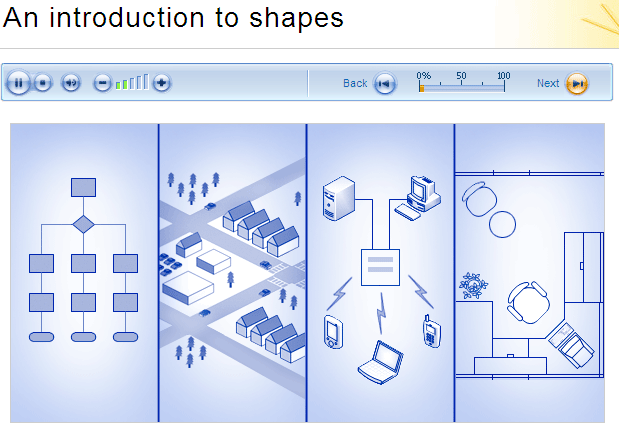
    A Perfect Tutorial

    Here’s why:

    • It contains both audio and text. You can control the audio easily, or just read the text.
    • Each page is short (2 minutes) so your attention span doesn’t time out.
    • While you listen to the audio, you look at a graphic that demonstrates the concept explained.
    • You can see your progress through the course so you can see how many more screens are left.
    • After 10 screens or so, you’re given a quiz. Responses appear after each answer.
    • After the quizzes, you have files to download and steps to walk through yourself. This helps you not just follow steps, but actually learn and grasp the material.
    • Some graphics are mini-demos you can watch.
    • The information is chunked and kept somewhat simple so it’s not overwhelming.
    • At the end of the course, you receive a quick reference card to help you remember what you learned.
    • You also have the opportunity to rate the course and give feedback.

    Sponsors

    Tags:

    If you liked this post, keep updated with new content: Subscribe to I'd Rather Be Writing.

    Both comments and pings are currently closed.

    12 Responses to “A Perfect Model for Online Tutorials — MS Visio Shapes Course”

    1. at the end of each section. Again, they were well done, but I just didn’t bother. I was a standard user in action. p.s. Funnily enough, after I had written this blog, but not posted it, Tom posted an article on another of the Microsoft tutorials—A perfect model for online tutorials: MS Visio Shapes course.  I have to agree with him.  These are good models for online tutorials, both the Visio and the InfoPath one.  If I had designed and written these I would be very happy.   

    2. Brian says:

      I use many Microsoft standards and examples. They are a fantastic education company.

      Their Microsoft Official Curriculum (MOC) study guides have a great format. They open each chapter with a case study, introducing or building on a prior introduction to a fictional company with a business problem. They then introduce the concepts of the chapter and cover topics and subtopics in a logical order. They conclude by applying the lesson to the company’s business problem and finish off with a quiz.

      The Microsoft Manual of Style is a very thorough repository of common IT conventions. Its suggestions are not the only acceptable choice, but I like to conform to Microsoft’s standards because they’re sensible and because I don’t want to bother keeping track of my own decisions on so many terminologies. (e.g., an administrator administers, he doesn’t administrate) For some annoying reason MS decided to stop offering the book for free, but I snagged a copy before it disappeard. < http://www.demodulated.com/crap/mmtp.chm>

      I recently attended a Microsoft-certified SharePoint course. The content was pretty good (it’s a brand new course so there were typos and minor errors in labs) but the trainer himself was just phenomenal. He had a long history in IT implementation, had delivered many training sessions, and had written written books. Plus he was a former 70s rock band keyboardist and was very personable. It’s the second Microsoft-certified course I’ve taken and I’m consistently impressed with their hiring standards for trainers.

    3. Brian says:

      My URL seems to have gotten very mangled there. Perhaps because I use the lightest of expletives as my directory name, but that “nofollow” tag probably doesn’t belong in the viewable part of the hyperlink. Here’s the URL – some assembly required (delete the underscore):

      http://www.demodulated.com/cr_ap/MMTP.chm

    4. [...] going through the Visio tutorials that I mentioned in an earlier post, I realized they were heavily visual and conceptual. We tend to [...]

    5. [...] going through the Visio tutorials that I mentioned in an earlier post, I realized they were heavily visual and conceptual. We tend to [...]

    6. Tom says:

      Thanks for the link, Brian. I’m not sure why WordPress mangled it. You have an interesting directory folder name (“crap”) for things. When I download the .chm, the network zaps it dead, though. I thought you had to zip .chm files to transfer them safely across networks. That’s all right, though.

    7. how to model says:

      Great review. I took the tutorial as well, just out of curiosity. I agree with your statement that it’s a great model to use as an example, but I couldn’t help notice the lack of any photography (all graphics) – perhaps I’m being picky, but some of the technical tutorials could definitely use a splash of “real life” to make them connect better.

      Great review!

    8. I have to agree with him.
      Thank you

    9. Thanks for the informative post.. and thanks for adding our comment to your blog. I\’ll have to subscribe to your feed so I don’t miss the next post!

    10. I am always searching online for articles that can help me. Thx

    11. Microsroft Office is still the best program when it comes to spreadsheet and word processing”.;

    « »
