
Book Review: Developing User Assistance for Mobile Apps, by Joe Welinske
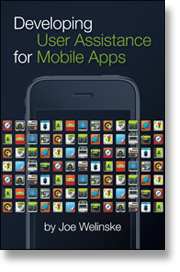 Joe Welinske's latest book, Developing User Assistance for Mobile Apps (published June 2011), fills a gap in tech comm literature that is sorely needed. Joe explores strategies and techniques for providing user assistance for mobile devices, and goes in depth with iOS, Android, Windows, and tablets.
Early in the book, he explains:
Hopefully the organizations that employ us will start buying smartphone devices for us to work with just as they provide us with desktop workstations (13).
It would be odd to be an IT employee in a company without being provisioned a computer. Now that mobile is becoming more common, shouldn't we also be provisioned a mobile device too, if not several?
One of my colleagues just recently purchased his first smartphone. He decided to buy it himself rather than asking our organization to pay for it. Usually only employees with special needs to be reached outside of work times receive smartphones.
But the world has changed. We know that mobile is quickly becoming the most common way for people across the world to access the Internet. It's much more common to consider and plan mobile development at the same time that you're building a browser-based application. Mobile is no longer an afterthought. It should be part of our regular workflow, strategy, and deliverables -- not just for developers, but for technical writers too.
Given the need to add user assistance deliverables to mobile, where do you start? Almost every mobile device has an emulator or simulator that allows you to explore the functionality from another computer. You also need the right software and setup. For most of us, this is a new world with unfamiliar terrain. How do you connect, how do you test, what software do you need, how do you publish, and how does it all vary by device? Joe covers all of this in depth for the major mobile platforms.
Additionally, he explores techniques for integrating help into mobile apps. Brevity and user testing are guiding principles. But as for a standard, "the look and feel of the UA is as varied as the apps themselves" (19). You can use everything from Dashcode (a mobile help authoring tool), to text built-in to the app, a standalone webpage, or many other solutions.
As for mobile help formats, I was also pleased to read the following advice for mobile documentation:
Many support situations can benefit from a richer level of presentation to the user. Videos and demos can provide a more engaging experience. The audio/visual capabilities of video make it a great choice for showing complex tasks and helping the viewer feel at ease. Demonstrations are useful for presenting an automated tutorial about tasks and procedures (28).
Yes, even on a mobile device, videos and other rich presentations have a place. When you consider the advanced interactions with mobile devices -- the gestures, the pinches and squeezes, the flicks and two-finger scroll, the back swipe, etc., you need to see some of these gestures in action to understand.
Undoubtedly, the diversity of mobile devices makes documentation tricky. Joe says the "wildly different UIs that we find in our apps mean that users can't necessarily carry conventions from one app to another. Unique icons, buttons, and menu structures can create angst for users" (41).
The operating systems and hardware buttons vary from the iPhone, Android, Windows, and tablets. Android itself has many different devices, with different buttons across the bottom. Not only do the operating systems vary, so do the built-in browsers. You need to test your output in all of these devices.
Add to this mix some difficulty in describing finger/touch movements (are these in your style guide?) and how those gesture words might translate, and you have a real challenge. What may have seemed simple suddenly becomes a full-blown documentation challenge.
Joe's book is an excellent guide to get started in the world of mobile user assistance. The book is brief (142 pages) but thorough enough to get you comfortable in this space.
To learn more or buy the book, see Developing User Assistance for Mobile Apps.
About Tom Johnson

I'm an API technical writer based in the Seattle area. On this blog, I write about topics related to technical writing and communication — such as software documentation, API documentation, AI, information architecture, content strategy, writing processes, plain language, tech comm careers, and more. Check out my API documentation course if you're looking for more info about documenting APIs. Or see my posts on AI and AI course section for more on the latest in AI and tech comm.
If you're a technical writer and want to keep on top of the latest trends in the tech comm, be sure to subscribe to email updates below. You can also learn more about me or contact me. Finally, note that the opinions I express on my blog are my own points of view, not that of my employer.