

Documentation at Scale with Andrew Etter: Ten years after Modern Technical Writing
- Audio-only version
- Links mentioned
- Topics covered in this podcast
- Narrative essay version of the conversation
- Transcript
Audio-only version
Listen here:



Links mentioned
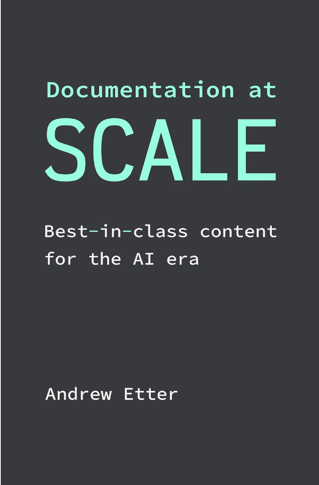
- Documentation at Scale: Best-in-class content for the AI era (Andrew Etter, Amazon — Kindle ebook, also included with Kindle Unlimited)
- Modern Technical Writing: An Introduction to Software Documentation (Andrew Etter, Amazon — his 2016 book)
- Review of Andrew Etter’s ebook on Modern Technical Writing (Tom Johnson, I’d Rather Be Writing — the 2016 review)
- Recording: Modern Technical Writing, by Andrew Etter (STC Silicon Valley chapter) (Tom Johnson, I’d Rather Be Writing — Andrew’s 2017 presentation)
- Six new books in tech comm: a roundup (Tom Johnson, I’d Rather Be Writing)
- Why docs still need an owner — podcast with CT Smith about WTFM (Tom Johnson, I’d Rather Be Writing — the earlier episode on doc ownership)
- Overview | Documentation - Roblox Creator Hub (Roblox’s creator documentation)
- Markdoc | A powerful, flexible, Markdown-based authoring framework (the Markdown variant discussed)
- Daring Fireball: Markdown (John Gruber — the original Markdown syntax and its readability goals)
- xkcd: Standards (Randall Munroe — the comic behind the “now we have 18 standards” joke)
- The isolation and loneliness of tech writing may get worse as AI accelerates
Topics covered in this podcast
Here’s a list of topics we talked about. Note: These shownotes are AI-generated.
-
Why a second book, ten years after Modern Technical Writing — The first book was the one Andrew wanted to hand to new hires and couldn’t find in a bookstore. Documentation at Scale collects what he’s learned at very large and very small companies, covering processes, team structure, and how to operate in a large organization, not just tooling. It’s Kindle-only so he can keep updating it.
-
Markdown’s simplicity, and what its variants have lost — Markdown won because anyone at a company can contribute in it, while no developer will ever open a DocBook file. AI’s preference for Markdown wasn’t foreseeable, but it isn’t surprising. Variants like Markdoc and MDX bring back the curly braces and obscure tags that Markdown was meant to escape.
-
Markdown mirror pages for LLMs — Source Markdown is full of variables, call-outs, and front matter that don’t transfer well to LLMs. One workable pipeline converts the source to HTML, then converts the HTML body back into a clean, minimal Markdown file with the variables resolved and the front matter stripped.
-
The business case for a centralized docs team — The case comes down to cost, accountability, and quality, and accountability resonates most with leadership. A best-in-class product needs someone who answers for it when a nasty tweet arrives. Writers can drive the docs even when they write little of the content, while developers working in their 20% time can’t.
-
Why simplification waves never replaced writers — Wikis, web CMSs, Markdown, and now AI each raised the fear that easier authoring would end the profession. None of them addressed ownership. Contributors treat their relationship with content as over once they submit it, so testing infrastructure has to catch code samples that break 18 months later.
-
A Slack bot for contributors who don’t want tools — Some PMs and marketers find Git intimidating, and others want someone else to do the work. A free-text Slack bot that opens a PR from a plain request fits both groups. It took three versions to get the permissions and company context right, and the main friction now is people without GitHub accounts.
-
Bot-authored PRs as collaborative authoring — When a person opens a PR, every revision has to go back through them. When a bot opens it, anyone in the Slack thread can steer it, including the requester, the writer, or a PM tagged in for input. Pointing a bot at a large doc bug backlog works best when it’s paced at about six fixes a day.
-
AI moves the work rather than reducing it — Some companies use AI to need fewer people, while others use it to do more, and expectations tend to rise. AI makes full doc audits affordable, catches typos and tense problems in PR review, and replaces Postman for testing REST endpoints. The freed time goes to connective tissue, use cases, videos, and blog posts.
-
Where AI still falls short: tutorials and video — Guides are comprehensive, but tutorials depend on careful omission, and AI includes too much. API descriptions often need trimming to about half of what a model produces, and authentication is the classic tutorial trap. Video editing depends on frame-perfect cuts that are still faster to make by hand in Premiere.
-
Making docs look good with AI — Stripe’s docs are held up as a gold standard mostly because they look good, often by people who have barely used them. AI makes front-end work far easier, so a designer might hand over a few still images instead of a full CSS file, and a writer can ship a redesign in under an hour.
Sponsored
Narrative essay version of the conversation
If the podcast were an article, this is what it would read like.
Owning documentation you didn’t write
On a large documentation site, a technical writer might not write most of the words, and this was true well before AI arrived. In a docs-as-code setup where developers contribute in Markdown, much of the writer’s job had already shifted to reviewing content that came from elsewhere, fixing it up, and deciding whether it met the bar. In other words, the writer managed the documentation rather than authoring every word of it. AI pushes this arrangement further, but it doesn’t change its basic shape.
That’s worth keeping in mind, because the field has a long history of predicting its own obsolescence. When wikis appeared, the worry was that if anyone could edit a page, nobody would need a writer. The same worry came back with web-based content management systems, then with Markdown plugged into the developer workflow, and now with AI tools that can produce a page from a one-line request.
Each of these tools made authoring easier. However, none of them answered the question of who is responsible for the docs as a whole. Who notices when a page drifts out of date? Who gets the call when a frustrated user posts about a broken guide? Who decides what quality means and which metrics show whether the docs are working?
These questions point to the real case for a centralized docs team, which rests on cost, accountability, and quality. Of the three, accountability probably resonates most with leadership. A product can’t be best in class unless someone at the company can be held responsible for it, and a handful of developers tending the docs in their spare time won’t get there.
Contributors also tend to treat their relationship with the content as finished once they submit it. A developer documents a feature, moves to another project, and doesn’t think about that page again until an API gets deprecated 18 months later. Anyone who has contributed code to another team’s repo knows the feeling, since the assumption is that the owning team will test it, release it, and maintain it. Docs contributions work the same way, which is why someone has to own what gets handed over.
Once ownership is settled, the tooling question gets more interesting. Docs-as-code assumed that contributors would learn a text editor and Git, and many developers did. Product managers and marketers mostly didn’t, and some of them don’t want a tool at all. They want to say what needs to change and have someone else do it. A free-text Slack bot that takes a request and opens a pull request fits that need well, and the main friction left is that some people never created a GitHub account to review the result.
A bot-authored pull request also has a side benefit that’s easy to miss. When one person submits a PR, only that person can revise it, so every review comment has to travel back to them. When a bot creates the PR, anyone in the Slack thread can steer it, whether that’s the requester, the writer, or a PM tagged in for a second opinion. The bot turns a single-author handoff into something closer to collaborative authoring.
AI also changes where a writer’s time goes, though it probably doesn’t reduce the amount of work. Some companies conclude they need fewer people, while others notice how much more they can do, and expectations tend to grow along with the tools.
The tedious work goes away first. An AI reviewer can flag dozens of typos or a page written in future tense before a human looks at it. A full documentation audit, which used to require a crowd of people doing uninteresting work, becomes affordable. Testing REST endpoints no longer means opening Postman and escaping quotation marks in the terminal, since an agent can hit every endpoint and compare the responses against the docs. What’s left is higher-level work, such as the connective tissue between pages, use cases, and supplemental content like videos and blog posts.
There are limits, though, and they show up where judgment about what to leave out matters most. AI tends to include too much. Even a simple API description might need trimming to about half of what the model produced.
Tutorials make the problem worse, because a good tutorial depends on careful omission. Authentication is the classic example. A model will happily pull the full complexity of auth into a tutorial, while a human writer will tell the reader to use the simple option for now and link to the details.
Video editing has a similar problem. A cut that lands a few frames late or a sound effect that’s slightly off can ruin a moment, and nudging the timeline by hand is still faster than prompting a model to do it.
The area most likely to change next is design. Stripe’s docs have long been held up as a gold standard, often by people who have barely used them, which says a lot about how much appearance shapes trust in documentation.
AI makes front-end work far easier for writers who used to avoid JavaScript. A designer might hand over a few still images instead of a full CSS file and a set of flows, and the writer can ship a redesigned component in under an hour. A docs site that looks professional earns more confidence from readers and from the stakeholders who rarely read the docs at all, and that kind of polish is now within reach of a small team.
Transcript
Tom (00:00)
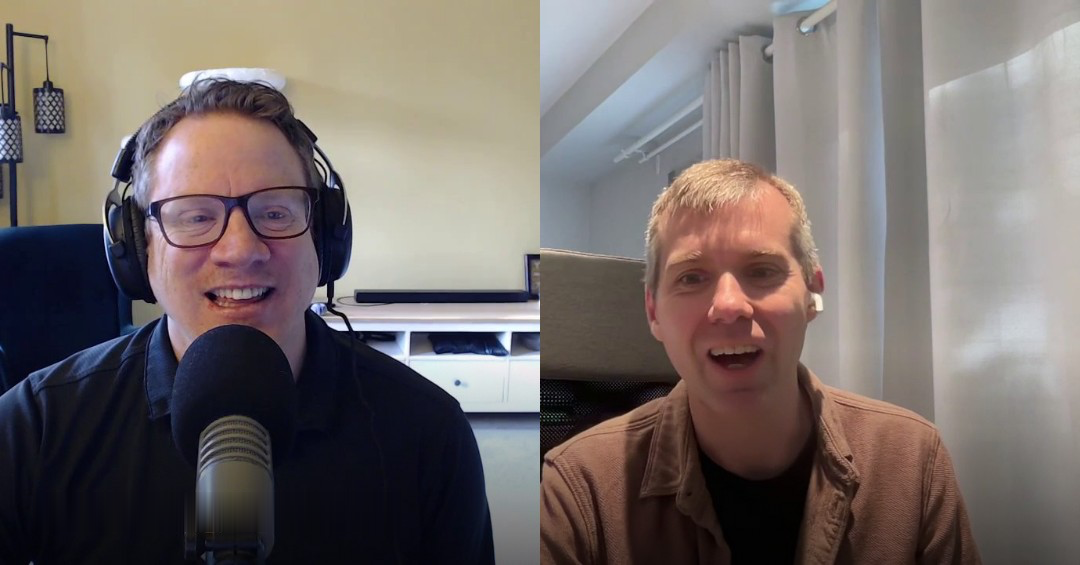
Welcome to another podcast. I’m your host, Tom Johnson, and today I have Andrew Etter. He has recently written a new book called Documentation at Scale: Best-in-class content for the AI era. Previously, he wrote another book, Modern Technical Writing, and we interviewed him a long time ago, about 10 years ago. That book was kind of an important book because there was a lot of early momentum on docs-as-code, and this book really kind of put forward that model in a more established way and set the tone for a lot of that movement. So now you’ve returned, Andrew, with another book that is kind of a follow-up to some of these larger questions from the start. But before we get into this, Andrew, can you just tell us a little bit about yourself, kind of where you’re at, what your job title is, any other details you want to share?
Andrew (00:58)
Yeah, absolutely. I’m super excited to be here, Tom. Thanks for having me. Right now I am at Roblox, where I’ve been for about three and a half years, give or take. Previously I’ve been at Google, Amazon, Palantir, a Boeing subsidiary. I’ve been kind of all around the industry. I’ve been in software for about twenty years, and I guess tech writing for maybe fifteen at this point. And I really, really love what we do still. Every day, I wouldn’t say it’s like, what’s the Bezos expression, tap dancing into the office. I wouldn’t go that far, but I still think we have just one of the absolute best jobs in software, and I’m delighted that we get to continue to do it.
Tom (01:44)
I agree. Technical writing is one of those sort of hidden fields that a lot of people don’t know about. It doesn’t look interesting, but it is really a sweet career in many respects. All right, so let me set the scene a little bit here. Ten years ago, I feel like docs-as-code and Markdown were just sort of becoming established as a model.
Previously we had the help authoring suite of tools, and then we had structured authoring, and so this was almost like a pushback against that model. And you said that as you were starting this new book, Documentation at Scale, there were some larger questions about scale that you were wrestling with or wanting to answer and address. Can you talk about the purpose? Why did you decide to write this second book, Documentation at Scale, and what were the larger questions you were trying to answer?
Andrew (02:46)
Yeah, with Modern Technical Writing, I kind of fell into it, I guess. I was looking for a book that I could give to my team at the time and say, this is how we approach documentation, broadly speaking, for maybe a new college graduate or something. What I wanted to do was go to a bookstore and buy 12 copies and put them on the little shelf in my office and just hand them out whenever we had a new hire.
But I saw pretty quickly that book didn’t exist. And so I started writing it and eventually ended up with Modern Technical Writing. So it had that real clarity of purpose, which was like, this doesn’t exist, I think it’s important and needs to exist, so I’ll go and write it. Documentation at Scale is maybe a little bit different, insomuch as it’s this collection, at this point, of hopefully everything I’ve learned in my career working at some very, very large companies and also some very small companies, and being able to say sort of in totality, this is what works today, this is what I think is going to continue to work.
Beyond just tooling and things, these are the sorts of processes and ways of structuring a team and ways of operating within a large organization that I think can lead to really, really good content wherever you are.
Tom (04:11)
Yeah, I can see that. Like a book that’s initially oriented towards your team, that you want to be like a handbook or guide on how to run a technical writing group. And that’s actually one of the things I like most about your book. So many books on technical writing are kind of oriented towards new technical writers or outsiders or students. We don’t get many opinionated, in a good way, opinion-rich books that have a perspective geared towards people who’ve been in the field. I’m sure it caters to new people too, and outsiders.
But I really felt like I’m getting the perspectives of somebody who’s been in the field for a long time and is telling us how it works well, how things should be, and I like that. I do like it when books have an opinion. I mean, it’s hard to, I don’t know, have an opinion. What am I trying to say? It’s hard to really be bold enough to make assertions in our field and put them forth in writing like that, I think.
Andrew (05:33)
I appreciate it, yeah. I certainly got some very polite, well-considered, but occasionally sharp critiques of Modern Technical Writing. And I agree with you a hundred percent. If I hadn’t gotten those critiques, if people hadn’t had those opinions to share back at me, I’d have that question of, did I push far enough in the book? Was I opinionated enough in the book? Did I put myself out there enough that I was saying something maybe not controversial, but at least intriguing or interesting? And so yeah, if the feedback came back just kind of vanilla or blasé, or “this is fine,” I don’t know that I would have achieved what I was looking to do.
Tom (06:16)
One of those controversial assertions in your previous book was about Markdown, and in this book too, you’ve doubled down on it. In many ways, I think you were prescient about Markdown. At that time there was a lot of polarization in the field about whether structured authoring was the right approach or these lightweight formats like Markdown. But now, with AI ingesting content, Markdown has almost become the format of choice because of the token efficiency. Do you feel like you’re vindicated? Talk more about Markdown. You’re also kind of upset about some variants of Markdown.
Andrew (06:59)
Yeah, I love Markdown, and I think that’s maybe the reason that I can occasionally be critical of it. I don’t necessarily feel like Nostradamus or anything for being like, I think Markdown’s going to be huge in the future and I think it’s the right call right now. You could see at the time when I wrote Modern Technical Writing that it was what developers wanted to use. And the reason for that was just the absolute five-minute simplicity of it. And the moment you start thinking in those terms, you say, wait a minute. Because Markdown’s so simple, anybody at the company can start to contribute documentation in a way that they never could if you were using a specialized application or an XML-based language, where no developer is ever going to crack open a DocBook file and say, let me learn these obscure tags and I’ll use my text editor. It’s just not going to happen.
Versus Markdown, you could all of a sudden get these incredible contributions from developers all over the country, or all over the company rather, and start to think about the documentation as something you managed as opposed to something that you wrote every single word of. So I don’t know about vindicated, but I think I expressed in Modern Technical Writing that I was very confident it was going to be popular in static site generators going forward. I hadn’t foreseen the usefulness on the AI side, because AI was basically a research project at that time.
But yeah, it’s certainly not a surprise to me that AI loves Markdown so much, in that it’s super duper simple and super token efficient. And developers obviously are the ones who created these incredible LLMs, so it’s not a huge shock that they would lean into the thing they know, which is Markdown, and say, this is a great format for content, communication, whatever else.
Tom (08:57)
Now let’s say that you are suddenly confronted one day by your tools platform team that says, “Andrew, we are switching to Markdoc.” What’s your reaction?
Andrew (09:09)
Of course, it’s not super positive. And the reason is, maybe it’s sort of the old-school technical writer in me, the persnicketiness about the purity of content or what have you. But when I crack open a Markdown file and I get the normal sort of list of headers and maybe an unordered list and some paragraphs, and I get some image syntax, and then all of a sudden I bump into a curly brace and a percent sign with some obscure class name and then a closing tag at the end, you go, what are we doing here? We couldn’t figure out a way to implement this same functionality without littering the source file with all these obscure tags? It’s sort of the very thing we were trying to get away from with DocBook and DITA and those languages.
So yeah, for things like admonitions, right? I think if we were to crack open some of your Markdown files, they’re probably implemented in, what, HTML or MDX or something like that, if you want to have a call-out within the file. That we couldn’t figure out a triple-backtick-style syntax that we could use for some of these same things, that we couldn’t figure out a way to have variables within a Markdown file that are configured in a central config file, as opposed to just using JavaScript to accomplish the same thing. So that’s why I’m a little bit down on the way that Markdown has evolved over the years.
Web developers seem to have gone in and used their existing tools and the things that they were familiar with and the things that made sense to them, as opposed to looking at it from the angle of how Markdown was conceived, which was that it should use pretty much only the easy-to-access keys on your keyboard. It should look really, really good in its raw form. It should be super readable as-is in a text editor. And we’ve really gotten away from that.
So I am aware that I’m losing the war on this one. The real solution on my end would be, well, Andrew, if you’re so smart, make your own Markdown parser. And maybe that will happen someday. But then we sort of run into the problem of standards, right? There are already three or six or 17 Markdown standards, and now there’s the Andrew Etter standard as well, so now we have 18.
So I don’t know that it’s a fight that I want to continue to have, but it’s maybe one where I will continue to make my thoughts known.
Tom (11:46)
Yeah, it’s an interesting topic. To be fully honest, we are actually moving to Markdoc at my work. I don’t control the decisions on the tools platform, and I don’t fully understand them. But even before this switch to Markdoc, we always had Jinja syntax available to us for variables and loops and other more sophisticated syntax, and I’ve appreciated that. I think if I had to stick with basic Markdown, it would be really tough for more complex, I don’t know, reference material or tables or reuse and so on.
So it is a tension. But what I find myself doing right now, okay, so part of the complexity is that we have these Markdown mirror pages on each of our doc pages. You just change the extension to .md.txt, well, the .txt part’s gone away, but in general, you change the extension to .md and you see what your content looks like in Markdown. And I’m going through each of my pages to compare that Markdown view against the HTML view and identify where things aren’t translating. And the Markdown parser that’s in action there is different from other Markdown parsers we have, and it’s confusing exactly what’s changing and what’s not changing. So do you have Markdown mirror pages for all your documentation?
Andrew (13:19)
We do, and for the same reason that you mentioned, it’s a really funny pipeline, where we have the Markdown that we author in, and of course that gets converted to HTML, where whatever variables and call-outs and things that we have in the Markdown get converted. And then we convert that back to Markdown so that you have a sort of clean Markdown file on the other end. And yeah, it’s for that very same reason, where we look at it and go, well, the source Markdown files have all kinds of stuff that maybe won’t transfer over well for LLM consumption.
But if we take the HTML, we know exactly where the body is, and we can do a sort of, I wouldn’t say minified conversion, but we can get it down to its most minimal form, and we’ve brought in whatever variables and call-outs and things that we had in the source. And I think we strip the front matter and things like that.
Tom (14:19)
Yeah. It is an interesting pipeline and workflow right now. You’re definitely right. Well, let’s go into some other topics here beyond Markdown. Let me provide a transition. So the idea of Markdown was that it would unlock developers contributing and authoring. And I’m sure that works in varying degrees at different companies and different levels. But the argument you start out with in your book is justifying why we have a technical writer employed in the first place. If developers can write in Markdown, they can use AI to generate content. What’s the business case for hiring a professional, not even just a solo technical writer, but having a team of centralized technical writers at a company?
Andrew (15:12)
Yeah, I think I boil it down in the book to, and you can help me out here if I misquote myself, cost, accountability, and quality. Fundamentally, if I were to get, whatever it is, five minutes with an executive or something and state the case for the centralized documentation team, the big one that I think really resonates with leadership is that you just cannot have a best-in-class product unless there’s somebody at the company that you can hold accountable for it.
Somebody where you get that nasty tweet and you’re able to say, “Andrew, what’s going on here? Why did this happen in the first place? Why didn’t you root-cause this and fix it so it never happens again? Get on it right now.” Previously, in one role, I used to get kind of annoyed with the product managers because they would say, what we need is somebody to drive this, to really drive this goal. And I would always say, we don’t need people to drive it, we need people to do it. We don’t have enough doers. Everybody’s short-staffed.
But with the perspective of an additional decade in the industry, I see what they mean, which is that technical writers can drive the documentation even if they don’t write the majority of it, or nowadays, maybe even most of it, or they don’t write any of it. You have this group that you can hold accountable for the quality bar.
And these can be the people who think big about where it needs to go, think big about the needs of human readers and LLM readers, think big about what quality means and what metrics we should be shooting for, like what metrics indicate that the documentation is succeeding or failing. And you can’t have a handful of developers occasionally kicking the site in their 20% time and end up with a really best-in-class product. It just can’t happen. You’ve got to have a dedicated team, whether it’s a small team or a big team. You have to have some people who properly own it.
Tom (17:18)
Yeah, I agree. That argument resonates with me, and ownership is something CT Smith actually touched upon in a previous podcast, that docs still need somebody to own them, to look at these larger concerns and initiatives around doc quality. When engineers are contributing, they’re kind of done as soon as they provide the documentation for their feature, right? They’ll maintain it as long as maybe they’re working on that feature, but then they move on and switch projects and it becomes abandoned, orphaned. There are a lot of problems with that.
I was thinking about this larger trajectory of tech comm throughout the last 30 years. Let me just put a little background here. People have been sort of afraid that if we make it really simple to author, then we’re going to lose our jobs as technical writers. It first started with maybe wikis, where people said, my god, you let everybody just edit the page, what do we need a writer for? Right? And then that fizzled.
And then we had web-based CMSs. You click an edit button on a page, bam, you’re making changes. WordPress never really took off in documentation spaces, but there were a lot of similar platforms. Then the switch to Markdown brought similar concerns, like, we’re just going to plug right into the developer workflow, developers will be able to author, we don’t need technical writers anymore.
And now we have AI tools. It’s like, somebody just explains what documentation they need and AI writes it. What do we need technical writers for? But in all of these transitions through our technical communication timeline, none has really addressed this ownership characteristic. Do you think AI will follow the same fate as these other simplification transformations, because it just doesn’t have an owner?
Andrew (19:25)
Yeah, I don’t want to say that’s my hope, but that’s my prediction. We are leveraging AI really, really heavily right now in pretty much every aspect of the documentation. And a lot of that means content coming in from all around the company, of people just saying, hey, this page needs a change, and prompting our AI bot, and the AI bot creates the PR for review.
And you could imagine the future as well, if all the tests pass and our PR review bot thinks it’s low risk, it actually handling the merge without a human ever having to be involved, and handling the deployment after that. We haven’t gone that far yet, but I can imagine that future. And so yeah, I like the way you framed it, because back in the day, every single word that was in the documentation was something that, let’s say, a human being had tapped into Flare or something and spat out, or before that in FrameMaker or what have you.
And there was that sort of fear with wikis and Markdown that, my gosh, the quality is going to go down into the basement, and anybody can do this, but a professional writer needs to do it. And we found that wasn’t the end of the world. I think for years now, even before AI, I wasn’t writing the majority of the content in the documentation. I was reviewing pretty much all of it, but I wasn’t writing most of it.
And so yeah, we’ve taken that to an even further extreme now with AI, which is that somebody still needs to check it out, make sure the quality is there, investigate emergent issues, be sort of the conductor of the symphony, if you will. Somebody needs to be in that role. But I don’t necessarily see a need for a human being to write every single word in the documentation, as long as there’s that degree of oversight.
Tom (21:27)
Yeah. I’m thinking back to an experience I had just a couple weeks ago. I was proposing edits to a certain page, or actually, I made the changes and floated them to a subject matter expert, a JavaScript person, and he said, “Hey, while you’re on that page, if you want bonus points, go ahead and just write the code for this feature.” It was something like circle shapes on a map instead of polygons. And I was like, challenge accepted, let’s have AI write this. And after like five verification checks and tests, I’m like, let’s see if this actually flies.
So I basically added a feature, a new aspect to the product. It was like a JavaScript API, and I committed it to the code. And he didn’t really have much feedback. It was like, good, good enough. It was a small feature. But in retrospect, once I submitted that, I was done with it. I didn’t want to own that code. I didn’t even really test it according to how a software group should test things. I just assumed they would test it. They would understand how it fits into their release cycle and their code, and they’re going to maintain it. I don’t own that. And I think a lot of people who contribute docs feel the same way. Like, I’m going to contribute it, but I’m not owning this. You are going to maintain this.
Andrew (22:50)
Yeah. I think that’s a really key point, that the understanding is their relationship with that content is now over. They’ve bequeathed it upon you. Yeah, totally. And on the code front, absolutely, I think everywhere in the software industry right now is seeing this sort of outstripping, where AI is producing enough code that it’s outstripping the ability of humans to review it all.
And so we’ve been, I don’t want to say rigorous, but we’ve been getting much, much more testing infrastructure in place to try and make sure that code samples are complete, and that if they break, we find out about it relatively quickly through testing. Because yeah, just like you said, the developers don’t say to themselves, this is my corner of the documentation, I really own this. They say, here you go. And it’s maybe a feature that we never think about again for 18 months, until something about it breaks or they deprecate an API. And we need to hear about it quickly through automated testing.
Tom (24:04)
Yeah. Now we’ve been talking about developers contributing. One of the main criticisms of the docs-as-code model is, what about your marketing team and your product managers? They want to contribute. They want to be able to edit things. In fact, I just had this discussion last week. We want to have product managers maintain a list of eval questions for their product, and other kind of high-level metadata about their product. But the thinking was, they don’t really understand the tools. They’re intimidated. They only write in Google Docs, really. And so these tools are still really off-putting to this whole non-technical audience. Do you find that still to be true? And how do you get around this? What are your thoughts on the non-technical audience contributing?
Andrew (24:59)
Yeah, it is unfortunately still true. And I think I probably conveyed it in the book. I have a degree of sort of exasperation around this, where I say, a text editor is not scary. There’s one built right into GitHub. You just hit the period key. And Markdown is not complicated. But I get that there is a subset of folks who, for whatever reason, find it intimidating.
Or maybe the other side of that is there’s a set of people you’re going to bump into in the office who want somebody else to do it for them. That’s what they really want. They don’t want to learn a tool, they don’t want to get the permissions, they don’t want to have to figure it out. They know what needs to be communicated and they want you to take the ball and run with it.
And so I don’t know if this is something you’ve had success with on your end, but that’s when we made the Slack bot. I was out jogging one day and I had that sort of epiphany. I was like, wait a minute, they don’t want tools at all. They just want to give instructions to something and have the task get done.
And so we created this sort of free-text Slack bot where you just say, hey, on this page, change this, and it opens up a PR and off you go. And we’ve actually created three of them. The first one was the sort of proof of concept, and then we got one off the shelf from a third party, where we struggled with the permission scheme a little bit.
And then we finally built this third incarnation, which has much richer permissions and context from around the company and is able to fetch all sorts of little details and things that a person might provide it with. And that’s had really, really great success, especially with that audience, where they can say, aha, I don’t need to know anything about Git, I just literally go into a Slack channel and start telling this bot what I want.
And honestly, the biggest hurdle at this point has just been that some people didn’t even take the time to register for GitHub. So if they want to review the PR before it goes in, they have to go and create an account and link it up. That’s been the highest friction point so far. Everything else, the tooling just seems to be something that people are really satisfied with.
Tom (27:16)
That’s really interesting. So you have a Slack bot that’s available to PMs, marketers, whoever, and they just say what they want to be changed about a page, and a PR gets created. Well, let’s say you review that PR and you find problems with it. Do you tell the Slack bot how to change it, or do you give feedback to the requester and they tell the Slack bot to change it?
Andrew (27:40)
Yeah, typically we would then tag the requester on the PR and tell them to review it, like make sure this looks good. And if it does need changes, you can do both, right? You can either interact with it directly on the branch, if it’s something minor that you just want to fix up, whatever, some wording or some spacing, or you can go right back into Slack and say, hey, you missed the mark in the third paragraph, I actually want it to say this instead. Or, hey, that link that you had there, we actually have a better page, why don’t you try this one? And you can iterate in that way as well.
Tom (28:16)
Yeah. It seems like some light bulbs are going off in my head. So usually if a person submits a pull request, they are the only ones who can make changes to it. You can comment on it and say, hey, change this. But if you have the bot create it, then multiple people can give instructions to the bot, and the bot can take orders from you as well as the marketing person. And you don’t have this challenge of, I’ve got to get the original requester to make all the updates. Huh.
Andrew (28:50)
Yeah, we’re not that precious, I guess, about branch permissions. So we just let anybody, if you’ve got write permissions on the repo, go in and edit somebody else’s PR to your heart’s content. I mean, don’t be rude about it. But yeah, like you said, you have a Slack thread where you’re chatting with the bot, and you can have your marketing person, and then they might tag in a PM and say, “Hey, anything we should add here?” And that person can, in that very same thread, go, “Yeah, hey bot, add this as well.”
Tom (29:23)
Man, you really got me thinking about this, because I’ve been trying to solve this problem at my work. We don’t have Slack, but we have bots in chat. And some of them are really kind of amazing. I collaborated with another writer on redesigning something, and it was the first time I was able to collaborate with somebody in a chat room on a code thing, and it was amazing. We would just say, “Hey, how about you do it like this?” and the bot would go and do it.
And then the other writer might say, “Nah, we want to tweak it a little bit here.” It was amazing to collaborate on the same doc project. So here’s what I’m thinking. We have a few hundred bugs in our queue of open doc issues and other things. And the problem is we’ve got, I don’t know, eight writers, and they own different areas of the docs. Some of them are just overloaded. And I’m sitting here thinking, what if we charged a bot to go ahead and just fix all the issues?
Then that writer is sort of thrust into the space of, well, do we want this or not? But they still have control. Whereas if I go through and launch my fix-doc-bug skill and make the proposed change, when that writer sees the proposed change and says, “No, no, no, don’t do it like that,” they have to give that instruction back to me. I have to negotiate and mitigate all this stuff. But if we just have this third-party bot doing it, we’ve suddenly enabled and unlocked collaborative authoring. Anyway.
Andrew (31:00)
Yeah, a hundred percent. On your end, maybe the only advice I would have is to space it out a little bit, maybe only have the bot fix like six a day or something, just so you don’t end up with review overload. But no, totally.
Tom (31:10)
Yeah, right, I understand that. Even doing ten, we call them changelists, but ten open changelists is enough to make my head explode, because I’m bouncing across contexts and different review statuses and fixes. It’s kind of crazy. All right, let’s jump back into some of the topics in the book. We have been talking about the PR bot, so we haven’t really strayed away.
Let me ask a large question I had. When I started reading Documentation at Scale, I thought, is he going to be making the argument that AI will suddenly help these writers who typically have hundreds of open issues or are just drowning in too many areas to cover? Is AI going to be that factor that helps technical writers suddenly scale to cover all the documentation needs for the entire company? No more tech writing teams with writers stretched super thin, exhausted, never finishing their work. But it doesn’t seem like you went there. AI wasn’t this X factor that helps people scale. Can you talk about why?
Andrew (32:32)
Yeah, I do think it’s certainly making us all more productive, right? But some companies have talked about this, where some companies are saying, we need fewer people to accomplish the same thing, and other companies are saying, my gosh, look how much more we can do. And I think it’s that second one, right? We’re probably always going to feel a little bit stretched thin. We’re just going to have more expectations placed on us as AI gets better and better.
So I don’t view it as, suddenly we’re living life on easy street because AI has taken away everything we were doing. We just have to do different things now. I don’t know if you’ve ever tried to do a documentation audit. Has that been something you’ve had to do in your career?
Tom (33:21)
Not really, surprisingly. I mean, a little bit here and there, but no, not full scale.
Andrew (33:23)
Yeah. I think if it ever comes down from on high, like you need to do a full documentation audit, that typically means the team has failed in some capacity, because it bubbled up enough to leadership that people just don’t trust the documentation, kind of writ large. And so I look at AI as a phenomenal tool for that, right?
We can have AI audit the documentation and do it at a scale that we never, ever could have afforded with human beings, where it’d be this massive number of people doing this extremely uninteresting work. We can now offload that to AI and have that higher confidence in the documentation. Personally, doing PR reviews and saying, my gosh, this person’s content is good, but they just have like forty-six typos in here, or the writing style is all future tense and I need to change it or whatever, being able to get away from that and just do the higher-level review and leave the nitpickiness to our AI pull request reviewer, that’s been huge in terms of productivity. And being able to have a little bit higher degree of confidence in the code samples that we create as well has been massive in terms of productivity.
Being able to quickly generate something. I don’t know about you, and I’m not trying to dunk on them or something, but I haven’t used Postman in years at this point, and I used to use it all the time. The reason is that now you just tell AI, hey, hit every single one of these REST endpoints and make sure the return values correlate to what I have here.
And so, is it turbocharging our productivity? I guess maybe, maybe not. But I look at it as, it lets us focus on higher-level things. It lets us worry less about those individual feature guides and worry more about the connective tissue of the documentation and how everything links together. It lets us focus really hard on use cases and users and supplemental content, maybe like videos and blog posts, as opposed to all of our time being spent trying to burn down our three-hundred-bug list and keep up with feature releases. It lets us offload some things and focus on, I want to call it more interesting work, but at least higher-level work.
Tom (35:54)
Yeah. That example of Postman not really being necessary is so on point. Just last week, I was working on a skill that will fix a doc bug, and I’ve got a test part of it, right? Where I really want it to make the call if there’s an endpoint and, as you say, verify the values returned and so on. And it’s making the call with curl. And I taught it how to retrieve API keys from my Google Cloud project in real time, so the API key’s not hard-coded anywhere. And it’s amazing. It’s so easy for it to do that. It really allows us to test things, whereas before, if you wanted to test an endpoint, it was a lot more cumbersome.
Andrew (36:50)
You’re in there escaping quotation marks in the terminal and stuff like that, just to get a curl command right. Yeah, no, a hundred percent.
Tom (36:55)
Yeah. Now, you mentioned in the book a couple of places where you felt like AI still failed, and that was tutorials. You said humans are still much better at writing tutorials, and also this one area you don’t want to give up, and that’s video tutorials. Can you talk more about those two areas? I was shocked that you’re doing video tutorials. So maybe your particular software domain really caters to that. Talk more about video tutorials and just tutorials in general and why AI doesn’t seem to work there for you.
Andrew (37:39)
Sure. Yeah. The sort of distinction I draw in the book, I think, is guides versus tutorials, where guides are the comprehensive or relatively comprehensive listing of everything that goes into some sort of space, some sort of topic. And then tutorials are that more human-centric side, where you’re being really careful about what you include, really, really careful about what you omit, and it’s designed to take a human being from nothing to something.
And so yeah, AI still does struggle with just including too much, has been my experience. Oftentimes, even with something simple like an API description, I usually have to trim it down to about 50% of what my model of choice spat out. And it’s compounded with tutorials, because suddenly you have it inserting what it views as absolutely critical information here, but a human writer would say, let’s just make that a link, or let’s just gloss over that, or whatever else, to make the tutorial more digestible, make it look friendlier, and make it something that a human being is likely to actually run through.
I guess the big one there would be authentication, right? Authentication and authorization is this enormous minefield, and AI seems perfectly happy to start inserting details into a tutorial, whereas any human writer is going to be like, listen, for now, just use the internal authentication system with these simple things, and go read over here if you want to learn more.
On the video side, I think you’re right that I’m maybe in a bit of a special space, and so video probably makes more sense for my audience than it does for a lot of other audiences. But on my end, part of our job, at my company at least, is inspiration, to make the users and creators out there think to themselves, that’s really interesting, I could do that, or to spark some idea in them. And videos are phenomenal at that in a way that the written word is just kind of not.
And then on the video creation side, you can imagine, right, the reason that a joke in a film is funny is because of every little frame-perfect detail, where this cut had to happen at exactly this point, this zoom had to happen at exactly this point, the sound effect hit, the music came in, whatever. And if any little aspect of that isn’t right, it’s lost.
And so if I pop open Premiere and I tell Claude or something, okay, every time that there’s a gap in the voiceover, insert a cut there and move to the next section, it’s probably not going to do it to my satisfaction. And it would have been faster for me just to nudge the timeline or something in Premiere, as opposed to using these AI tools to try and one-shot it.
And so I haven’t seen the value of AI nearly as much on the video side of the house as I have on the written side of the house. Maybe if I really wanted to generate some stock footage or something, but usually I’ll just include a stock photo and sort of pan on it or something like that. But for the nuts and bolts of cutting together footage, doing zooms, doing masks, I haven’t seen that AI is making us massively more productive there. But I am really interested to see if that progresses, because that seems like an incredibly hard nut to crack.
Tom (41:27)
On the whole verbosity aspect of AI, with your comment on guides versus tutorials, this is something I’m struggling with. I’m trying to write a proposal for a new approach with our docs, and it’s like seventeen pages long, and I’m thinking people have tapped out.
Andrew (41:47)
But you wrote it, to be clear?
Tom (41:55)
No, no, no, no. I told AI what to write, and then I laced it with comments about how to tweak it, and sometimes I’ll take over. But I’m telling you, I’m steering it. I’m not necessarily writing it. And it’s just hard to not let it go five times as long as it should. Most humans, you start typing something out, you’re going to tap out after like two pages and be like, I’m done. And it’s the same with a tutorial, right? You sit down to write a tutorial, you’re not going to write more than two thousand words before you just lose brain power. And people have limited absorption time too, right?
So it kind of fits. But now it’s like, well, I look at everything it wrote and I’m like, this is actually perfect. This detail, I want this detail. But yeah. Now I’ve slipped into another weird area, where sometimes I’ll send an email to a technical SME about something. I send the email because maybe it’s late at night when I’m doing it, or maybe they’re in a different time zone, and I don’t want to just ping them in chat.
So I say, “Hey, send this person an email, ask such and such,” and it sends this long email, and then they reply with their Claude or Gemini or whatever, right? And so we’ve both got our AIs talking to each other. And I don’t know, the emails are getting longer and longer. Anyway.
Andrew (43:18)
Yeah, no question. And it’s getting harder and harder to get an in-person meeting as well, I think.
Tom (43:25)
Hey, you were talking about videos and so on, and it made me think of another part of your book, about design. You raise this point that Stripe’s docs have always been held up as a gold standard of technical writing, even though almost nobody has used them, right? And it’s because they look good. Do you think AI can help our docs look good in a way that was previously difficult? By the way, this point about Stripe really resonated, because this has been a contention I’ve had forever. People are always like, “Hey, what are some of your favorite API docs? What do you really like?” And it’s like, well, I’m not a developer. I’m not writing a bunch of code using APIs and comparing different sites. So what do you say? And so everybody’s just like, Stripe looks good. But it’s the dumbest answer, because I haven’t used it, maybe once or twice, but in a very superficial way.
So coming back to the design element, can we now make our docs look like Stripe’s docs using AI tools or whatever other leverage?
Andrew (44:40)
Maybe not like Stripe’s docs, because there is a fair amount of under-the-hood work there, right? They also have a really good integrated search and things like that. But just superficially, yeah, absolutely. If you get a designer to just give you a still image or something, or even prompt your favorite AI to produce a still image, you just feed it in and say, let’s modify the design of the site, I want it to look like this.
You can even get on your iPad and scratch out some rectangles and say, I want the content column to be about this and this. And yeah, it makes front-end development way, way, way easier, to the point that, I mean, I have a long-professed distaste for Node and JavaScript in general, and it’s taken a lot of that away from me. I can have some front-end improvement I want to make on the website, maybe not necessarily inspired by Stripe, just something where I say, I’d love for code samples to start at arbitrary line numbers, or whatever, and you can get that done and deployed out the door in under an hour.
So yeah, if you’re looking to overhaul the design of your site, I’d look into it, absolutely. You still need that degree of taste, which is why I say bring in the designer. But the designer might not need to provide nearly as much as they would have previously. Maybe previously a designer would give you a complete CSS file along with a whole bunch of flows, and in this case, you might be able to get a handful of still images and you’re off and running.
Tom (46:22)
Just the other week I was redesigning some pricing tables on our site. And you could tell that previously a tech writer had hacked together the best-looking table they could based on the tools and skills available, and it just looked very amateur. And I was like, “Hey AI, let’s go for a three-tier, side-by-side display.” A few iterations and it was looking decent. It was actually looking good.
Same with another scenario. I have these product fact cards that just have details about the product. I didn’t want it to look like a laundry list of different sections and small little tables or something. Like, can you make it more attractive? I don’t really even know how. And it did. It was very easy. So yeah, I like this point you make about how the way our docs look makes a difference. Kind of like how we eat with our eyes before we taste the food. It does instill confidence when a site looks professional. And people who aren’t reading it are going to have more confidence in our tech comm ability as well.
All right, we’ve been chatting for a while. Let’s mention the book again. So, Documentation at Scale: Best-in-class content for the AI era. Where can you get it? And it’s a short book, by the way. You can probably read this on a plane ride.
Andrew (47:54)
Yeah, as you mentioned, when you’re actually writing everything by hand, suddenly brevity becomes very attractive. So it’s maybe, I don’t know what it is, maybe fifty or sixty percent longer than Modern Technical Writing. So I guess I either failed or succeeded in that regard, depending on how you think about it. So it is a longer book. It’s available on Amazon only, for Kindle.
The reason for that is pretty straightforward. I can update it over time. Obviously I write documentation for a living, and so the idea that I wouldn’t be able to update something that I wrote whenever I feel like it would make me perhaps less likely to publish. So in this case, if anything comes out over the next six months or year or however long, having that sort of flexibility to say, ooh, I should actually really add a paragraph here about this, it’s become really important, is nice.
And yeah, on Amazon it’s included with, I forget what they call it now, if it’s Kindle Unlimited or Kindle Plus. So if you don’t want to buy it, go for it. And if you do want to buy it, it’s $3.99. So I’ve tried to price it for the era.
Tom (49:11)
Yeah, you mentioned that you updated your previous book, Modern Technical Writing, like forty or fifty times. Is that right?
Andrew (49:17)
Easily, yeah. And it’s no huge shock that both of these books are written in lightweight markup, and then I have a script that converts them to a sort of Kindle-ready EPUB that I can upload. So the process of making an edit and getting an upload is very simple and repeatable. It’s not too much of a lift on my end to say, I wish I’d put in this example about analytics or something, and jam that into the book and fire it off after the fact.
Tom (49:56)
We’re at such a rapidly evolving time in the landscape that I anticipate you’ll be making a lot of updates. I don’t know about what, but I feel like…
Andrew (50:07)
I’m going to have some misses, a hundred percent.
Tom (50:11)
Yeah. But it’s cool that you have your philosophy of tech comm in a space that you can refer to, update, and share. That’s nice.
Andrew (50:24)
Yeah. Like I said, Modern Technical Writing was the book that I thought needed to exist, so I wrote it. This is the book that I just wanted to write.
Tom (50:34)
Yeah, that’s great. And I love the fact that you’ve written a book in a day and age when, I don’t know, people are reading less, maybe. But also when people are looking for guidance. We’re so lost, right? Everybody’s trying to figure out what direction we should go. So I like that you’ve provided information in a format that people can digest, trust, and really absorb. So thank you, Andrew. Thank you for coming on my podcast and sharing all about it. It was really great catching up with you and hearing your perspective. I resonate so much with everything you say. So thanks again.
Andrew (51:17)
Yeah, thank you so much for having me, Tom. Always a pleasure.
About Tom Johnson

I'm an API technical writer based in the Seattle area. On this blog, I write about topics related to technical writing and communication — such as software documentation, API documentation, AI, information architecture, content strategy, writing processes, agent skills, tech comm careers, and more. Check out my API documentation course if you're looking for more info about documenting APIs. Or see my posts on AI and AI course section for more on the latest in AI and tech comm.
If you're a technical writer and want to keep on top of the latest trends in the tech comm, be sure to subscribe to email updates below. You can also learn more about me or contact me. I usually write the first drafts of my posts myself and then use AI to improve accuracy, clarity, and detail in places, so my writing is a mix of human and AI. (Hopefully that's not too off-putting.) Finally, note that the opinions I express on my blog are my own points of view, not that of my employer.