

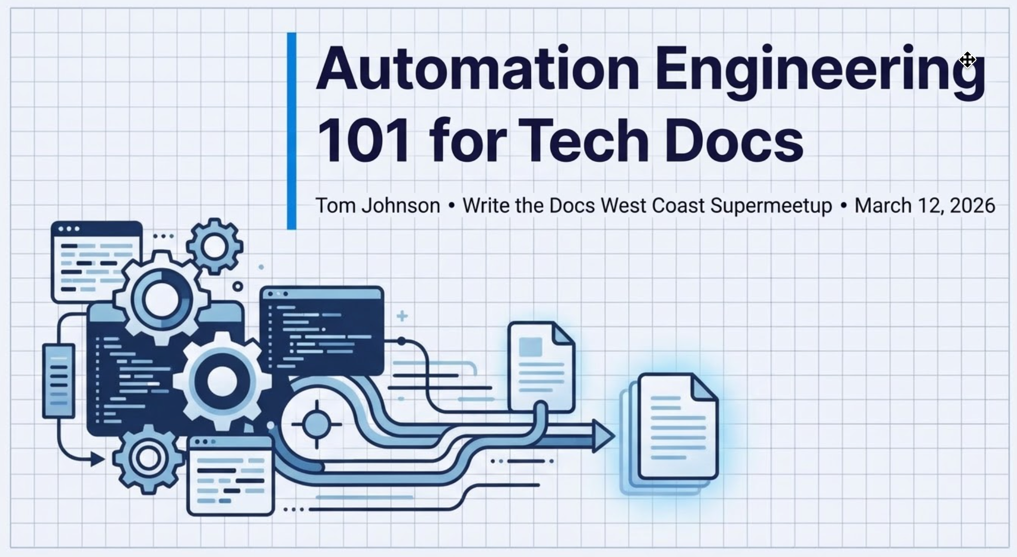
Recording of Automation Engineering 101 for Tech Docs presentation at WTD West Coast Supermeetup
I gave this presentation on March 12, 2026. Below you’ll find the recording, slides, transcript, and a narrative summary.

Date: March 12, 2026
Time: 6 - 7:30pm PT
Location: Online (Zoom)
The other presenter was Dave Nunez, who presented on “Falconer: Document your Knowledge and Solve Bigger Problems.”
Recording
For my automated engineering session, fast-forward to 25:20 on the timeline.
Slides
Here are my slides:
Sponsored
Transcript
Here’s a transcript of my presentation:
Automation Engineering 101 for Tech Docs
I want to talk about a very specific aspect of AI, and that’s the automation engineering part. Let me expand a little bit about why this topic.
I work in a part where I don’t have many other writers working with me. So I’m supporting a lot of products, a lot of teams. We’re getting fewer colleagues, and I often feel like I’m just drowning — even more so than ever. We’ve been told that AI was going to free us up, but instead the work is just accelerating, making us more busy. I recently saw this article in the Wall Street Journal that says AI isn’t lightening the workloads — it’s making them more intense. And I’m guessing that maybe a lot of us feel that, right? The pace is picking up.
So as 2026 started and I was thinking about where I want to go with my career — what are the skills that I need to thrive in this accelerated world? — I thought maybe it’s automation engineering. What if I could take some of these tasks that I’m doing bi-weekly, weekly — release notes for this, release notes for that product, release notes for this other product, this repeatable process — if I could somehow find a way to automate that, I would then have more time freed up for the kind of work that isn’t so repeatable.
Building systems instead of writing content
So I started digging into this. I think everybody might have different processes that repeat. The first step in this automation engineering skill is to try to identify what is repeating — what is something that you could script out. For me it’s these release notes.
But the larger idea here is that you’re trying to build a system that generates the content. You’re not working on the content yourself, writing it. You’re building this system that writes it, which is the big shift that epitomizes how our profession has changed.
I rarely write docs by hand anymore. I’m directing the machine to write them.
But how exactly do you guide the machine? This is where it gets difficult, and some people have success, some people don’t. I think that if we think about designing processes for machines to execute as something that’s hard to figure out, something that requires creativity, engineering prowess, logical thinking, clear-headedness — then we’re not really just offloading all of our treasured writing skills to another service. We’re still using our creativity and our writing clarity and structure, but we’re applying it to something different. We’re applying it to process creation instead.
Think about that as a way to not feel sad about no longer writing as the key skill.
Levels of automation
Now, in thinking about automation, there are different levels of automation that we can do. You can automate a small subtask. You can automate a task, a process, a workflow, even an entire role perhaps.
I think a good analogy is to compare these different levels of automation to the levels of autonomous driving by the Society of Automotive Engineers. Level zero is no autonomy. Level one, you have some driver assistance — maybe some assistance with the brakes. In level two, you might be able to take your hands off the wheel as the car steers, but you’ve got to be right there. And no car is really at level three or four or five. Oh, I guess maybe the Waymo is. But the car that you can buy and operate yourself — we’re kind of at a level two.
In the same way with automating doc tasks, I think what makes sense is to automate a task and subtask. Trying to automate an entire process — so you push a button and it executes perfectly — or even a workflow seems very ambitious.
Seven principles of automation engineering
But in trying to come up with the pattern for how you design these automation processes, I have settled on six or seven principles that I found to be helpful. Here’s an overview:
- Separating deterministic from probabilistic tasks
- Chunking the probabilistic instructions into discrete, verifiable tasks
- Storing the instruction files in a place you can easily edit
- Executing each task through direct prompting
- Verifying each task to stop errors from propagating downstream
- Asking AI to fix its own instructions
- Iterating such that you improve a process each time you run through it
Principle 1: Separate deterministic from probabilistic tasks
The first one is just kind of basic. Recognize that some tasks you can actually write a script to perform. I don’t necessarily mean a human writes the script — you can tell AI to write the script, or you can write the script, or both. But there are tasks that have a programmatic execution. For example, you want to get all the files that have changed, get the file diffs, consolidate those files into a workspace, create a bug — that kind of stuff where you can have a script run through and do it.
The other types of tasks fall into this probabilistic category. These are ones that you can’t really find a script to run. Instead, you need a natural language prompt. And this is where — as Dave was saying — the ability to use your English language skills becomes very useful in designing these prompts.
So as I was thinking about my release notes, I had my whole process outlined in a Google doc. I grouped all the deterministic stuff into one section and was able to get it into a script. Then I chunked out the probabilistic stuff into different tasks. But that initial separation is key.
Principle 2: Chunk into discrete, verifiable tasks
The second principle is to chunk these processes — particularly the probabilistic ones — into discrete tasks. You have maybe this first task and then maybe a verification step and a second and a third.
But this idea that we’re going to take a complex process and create some script that runs like a Rube Goldberg machine through a million different little maze-like structures and comes out at the end successful is just sort of a fantasy, and it doesn’t even make sense. So this ability to break things down into discrete tasks fits well within the tech comm mindset, and I think it’s a key principle here.
In my release notes, this is how I’ve been chunking these tasks:
- Regenerate the reference docs. A script gets the diffs and consolidates things.
- Analyze the log output. I want to know if there were any build errors. I want to know if any internal elements snuck through, or maybe things didn’t build at all due to some other failures. Maybe engineers moved something and didn’t tell me, or maybe they added stuff and didn’t tell me. This log output analysis catches that because I want to start with a foundation of truth before I start having the machine write summaries and release notes.
- Write release notes. This isn’t actually writing the whole release notes — it’s summarizing the file diffs. My grand theory about how to write release notes is to generate the reference docs and look at the file diffs between releases. It tells you 99% of what has changed.
- QA checkpoint. I’m comparing the file diffs against what we’re actually releasing to partners. Are they the same file diffs? They should be.
- Tie the summaries to the road map. An instruction file says, “Consult the road map, consult all these file diff summaries, and try to pair them up.”
- Another checkpoint — a human in the loop to look and see if it makes sense.
- Continue through the rest — adding a section about bugs that have been fixed, doc updates, API diagrams, and so on.
I realize everybody’s release notes processes are probably vastly different. I’m trying to demonstrate that you want to conceive of the process in discrete tasks that can be logically grouped as a sequential process.
Principle 3: Store instruction files in an easily editable place
Because I believe that this is an iterative process, it’s important to have your instruction files and your scripts in an easily editable place. For my docs, I always just create a little folder called __scripts, so it’ll be hidden from the output. And I put the instruction files — the markdown and the shell scripts — right there. I want to have it right next to the docs that I’m working on.
Now, if you’re doing something else — let’s say you’re following the formal skills spec — you might have a different setup. Maybe your tools require something else. But it’s very simple. You can just create a markdown file with your instructions, store it along with your docs, so that every time you’re doing that task, that file is right there. It’s not hidden. It’s a living file that you continually update.
Principle 4: Execute each task through direct prompting
To run each of these tasks, I basically just take and drag my markdown file into the side pane of my IDE or my editor — in this case, it’s similar to Windsurf and Gemini — and just say something like, “Hey, follow the instructions in 3_write_release_notes.md.” This instructions file requires some parameters, so it wants to know the release name and the file diff filename, so I provide that. Your instructions might have different inputs that are required for each release, and they would be noted there. But then I just proceed through each of these different files. After number three, I verify it, then I do number four and number five and so on.
Principle 5: Verify each task to stop errors from propagating downstream
This is a very key principle. You want to make sure that each task looks correct so that any errors that might be in that task don’t cascade downstream and mess up the later tasks.
I alluded to this earlier: if you have a build script that doesn’t properly generate the reference docs accurately — maybe it’s generated from the wrong snapshot or something — then the reference docs will be incorrect, and then all these processes that are looking at diffs in those generated reference docs will also be incorrect, and you’ll end up with hallucinations and it’ll be frustrating.
So this is why each task needs to be verified. Maybe you have a verification script, but I also like to just look at it so that I’m aware of what’s going on. And by the time we get to the end, I will have a sense that, “Yeah, these are legit items here in the release notes. These are really what we’ve been building and working on.” It’s not just a reveal at the end.
Principle 6: Ask AI to fix its own instructions
Now, the only really ingenious part of this whole process: ask AI to fix its own instructions.
After you run a task, look at the thought log (if it’s exposed) and see where the AI ran into frictions. I found that when I would run some instruction files, Gemini had a really tough time finding the files even though I had the full path in the instructions. So I decided to just drag that file into the pane. It struggled in other areas too — I thought it could easily create a bug, and I look at the thought log and see that for some reason that MCP tool wasn’t available or it got confused.
So after I executed a task, I say, “Hey, look back at your thought log. Where did you run into frictions? Can you improve the instructions so that next time around the agent has an easier time performing this task?”
And then it usually makes an update. It adds something. I’ll look over to see what was actually added, improve it or change it or modify it, and then just keep doing this loop.
Now, if it’s a shell script or any kind of deterministic script, you can just blow away the result and keep iterating like this. But if it’s a probabilistic thing and you’ve invested time in verifying it, you’re probably not going to blow it away on each revolution. But the idea is that each time you run a task, you should look for opportunities to improve the instructions so that it gets better and better with each revolution.
In the thought log, it shows where the AI is struggling — and it’s also just fascinating to read. Honestly, the thought log kind of blows my mind because you get to peer into the machine trying to simulate thinking in some way.
Principle 7: Iterate and improve each time
Make sure that when you’re providing the context the AI needs, you’re not just dumping all your docs at it. You don’t want to confuse it with too much information that it might take as a tangent or get distracted by. You want to provide the right context so that the data sources are available for the task that it’s actually performing.
This is iterative. This is why the instruction files are living files. They’re things that you’re constantly improving. Even though I support release notes for four different products, I have completely separate instruction files for each of them. Some of the teams have a road map, some of them don’t. Some of these are Java files, some of these are proto-based APIs — there are just so many differences, and each instruction file is unique and adapted to that product based on frictions and hiccups that I kept running into.
Automation is hard, but it compounds
To come back to a theme at the beginning: automation is hard. It’s really hard. I run into so many people who say, “Yeah, I just can’t get usable output from these tools,” or “They don’t really work for me,” or “It’s faster for me to do it myself,” or “There are so many errors in the output that it’s just not a good use of my time.”
Well, the difference is how much somebody can use these tools to automate some of the work. It requires a lot of tinkering, as Dave said. Becoming familiar with how they work, how the models behave, what the pitfalls are, learning to recognize traps — you throw stuff in the middle of a really long file, chances are it might get skipped over. That kind of intuition that you build up helps you be successful with these tools and arrive at a process that works.
A final analogy: think of automation like teaching a teenager how to drive. If you have sat down with children as a passenger while they drive, it takes weeks and months for them to figure out how to maneuver the car, how to drive without killing everybody. In the same way, trying to set up scripts and instruction files to do some of these tasks requires a lot of investment of time. You might find that you’re sinking so much time just into process improvement.
But once that teenager — or AI — receives their license and is able to drive by themselves more and more, it really adds this compound return on your time and your productivity, and you can continue focusing on these other areas that need your attention.
Q&A
How do you keep the teenager from killing somebody in the early stages?
Well, I start my teenagers out in parking lots. I bought a bunch of cones and let them drive around in parking lots and around the neighborhood until they are more comfortable with how the car handles. In the same way, you don’t want to just start out trying to engineer some big, long, complex, convoluted process. You start out with the subtasks and then maybe the tasks. Maybe eventually a whole process. But in everything, you start small and work your way up to more complexity. And one of my kids has not learned to drive. So there’s also that.
Can you say a few words about controlled vocabularies?
There is one aspect of this whole engineering thing that I haven’t talked about, and that’s your gemini.md file, your Claude markdown file — whatever the markdown file is that controls everything coming back. I do have some notes in there about words that it’s not supposed to use — the buzzwords and cliches associated with AI content. I say, “Hey, try not to use those.”
Perhaps you could add your whole style guide, but again, if you pass too much content that’s not really directly related to the task, you run the risk of confusing the AI, overloading it, distracting it. So it’s kind of a mixed bag. You can’t just feed the AI tool your entire style guide in your agent markdown file and expect it to be perfect.
And one other weird quirk about at least Gemini: it’s much better if you let it do what it wants instead of trying to add all these restrictions about what it shouldn’t do. Like a teenager — you tell them what they can’t do and they just don’t listen that much.
But yeah, you should definitely have an agent markdown file in the process to try to shape that. I have a few rules, like adjusting for a “just the facts” style. I feel like the main flaw in AI output is too many adjectives, and if you strip out those adjectives, it’s usually not bad. But that works for tech docs.
When you verify the output at each step, do you still need to understand the details at a granular level, or is the big picture enough?
Probably the latter — the big picture. You’re right that it really depends on the task you’re doing. But just think about ways to chunk up a task, and when it’s done, look it over and see if it looks right. Try to figure out how you could possibly verify it at that stage — what makes sense or doesn’t make sense — before moving on to the next.
It is the challenge, right? We want to move so fast. But if there were a way to just push a button and have release notes come out, I wouldn’t know if they were right or not because I would have had no input. I wouldn’t have seen what was going into the sausage. I wouldn’t know how to evaluate it at all. So if you put in a few verification stops along the way — “Oh, these were the changed files” and “These are the launch entries I added” — you’ll have a much better sense of whether this looks right or not.
After automating, what do you do with the freed-up time?
I don’t want to fall into this trap of suggesting that I have free time freed up by this. I’m saying I have a bunch of other tasks that are not repeatable, that are one-offs, and I never seem to get to them. So I’m trying to strategically do those tasks that are repeatable in an automated way so that I have time to tackle these one-offs that aren’t worth engineering into any kind of process.
That’s the big lie of AI, right? “Oh, you’re going to be freed up, so you’ll be able to focus on all these big important questions.” Instead, it’s like, “No, you just have three times the amount of work.”
But let me end on a happier note. Building a system is a new skill. Let’s face it — writing tech docs is kind of boring now. You get to design systems that generate things. You’re building machines. It’s a whole new frontier and territory to explore. I think we should embrace it.
Narrative summary
Transcripts are boring to read. This is an AI-written article version of the talk.
Automation Engineering 101 for Tech Docs
Here is a truth that most technical writers are slow to accept: the craft of writing documentation by hand is no longer the center of the job. The center of the job is building the machine that writes it for you.
This isn’t a story about obsolescence. It’s a story about evolution — and it’s more interesting than the doom narrative suggests.
The acceleration trap
The promise was simple. AI would lighten the load. Writers drowning in release notes and changelog debt would hand the drudgery to a model and finally get to the meaningful work — the architecture decisions, the tutorials that actually teach something, the docs that make a user successful rather than merely informed.
That hasn’t happened. What’s happened instead is that the pace has intensified. More products ship faster. Teams are smaller. The backlog doesn’t shrink; it metastasizes. If anything, the writers who figured out how to use AI are now expected to cover three times the surface area, not spend a leisurely afternoon on a conceptual guide.
So the real question isn’t whether AI can write your docs. It’s whether you can build a system — a repeatable, improvable system — that generates the predictable stuff reliably enough that you actually reclaim time for the work that demands a human mind.
That’s automation engineering. And it might be the most important skill a technical writer can develop right now.
Process design is the new writing
The mental shift is jarring at first. You’re no longer the person who writes the release notes. You’re the person who designs the process that produces them. You outline the steps, identify what a script can handle deterministically (pull the file diffs, consolidate the changes, flag build errors) and what requires a natural language prompt (summarize the changes, tie them to the roadmap, decide what matters to the reader). Then you chunk those steps into small, discrete tasks, each one verifiable before the next one runs.
This matters because the Rube Goldberg fantasy — one long automated pipeline that ingests code and outputs polished docs — doesn’t work. Not yet. The models are too unreliable over long chains. Errors in step two become hallucinations by step six. The only way to get trustworthy output is to break the process into pieces small enough that a human can glance at each one and say, “Yeah, that looks right,” before moving on.
It turns out this is exactly the kind of thinking technical writers are already good at. Decomposing complexity into sequential steps. Scoping information to what’s relevant. Structuring a mess into something navigable. The skills haven’t changed — they’ve just found a new substrate.
Teaching the machine to drive
A useful analogy: automation engineering is like teaching a teenager to drive. You don’t hand them the keys and say “figure it out.” You start in a parking lot with cones. You build up to neighborhood streets, then highways. And critically, after every session, you debrief. What went wrong? Where did they hesitate? What instruction was unclear?
The best trick in the whole process is this: after the AI executes a task, ask it to review its own thought log and identify where it struggled. Then have it suggest improvements to the instruction file. You review those suggestions, refine them, and the next time you run the task, it goes a little smoother. The instruction files become living documents — not static prompts, but iteratively refined process definitions that get better with every cycle.
This is the compound return. The first time you automate release notes, it takes longer than doing it by hand. The fifth time, it’s faster. The twentieth time, it’s dramatically faster, and the instructions have been honed by dozens of friction-points you never would have anticipated up front.
The identity question
There’s a deeper current running beneath all of this. For fifteen years, the atomic unit of the technical writer’s identity has been writing. If the writing becomes cheap — if models can produce passable prose on command — then what’s left?
What’s left is knowledge engineering. The ability to look at a complex system and figure out how to make it understandable. The judgment to know what a user needs at each stage. The architectural instinct to organize information so it’s findable, not just correct. The editorial eye that catches when a model has hallucinated something plausible but wrong.
None of that goes away. If anything, it matters more now, because there’s more content being generated and someone has to ensure it’s trustworthy.
The writers who will thrive aren’t the ones clinging to the romance of the blank page. They’re the ones who see a repeatable process and think: I can build a machine for that. They tinker. They iterate. They treat their instruction files like code — version-controlled, tested, improved.
Writing documentation by hand was never the point. Making the user successful was the point. And if building a system gets you there faster, then building systems is the job now.
It’s not a loss. It’s a frontier.
NotebookLM assets
Here’s a NotebookLM podcast, video, and other assets from this material.
About Tom Johnson

I'm an API technical writer based in the Seattle area. On this blog, I write about topics related to technical writing and communication — such as software documentation, API documentation, AI, information architecture, content strategy, writing processes, plain language, tech comm careers, and more. Check out my API documentation course if you're looking for more info about documenting APIs. Or see my posts on AI and AI course section for more on the latest in AI and tech comm.
If you're a technical writer and want to keep on top of the latest trends in the tech comm, be sure to subscribe to email updates below. You can also learn more about me or contact me. Finally, note that the opinions I express on my blog are my own points of view, not that of my employer.