

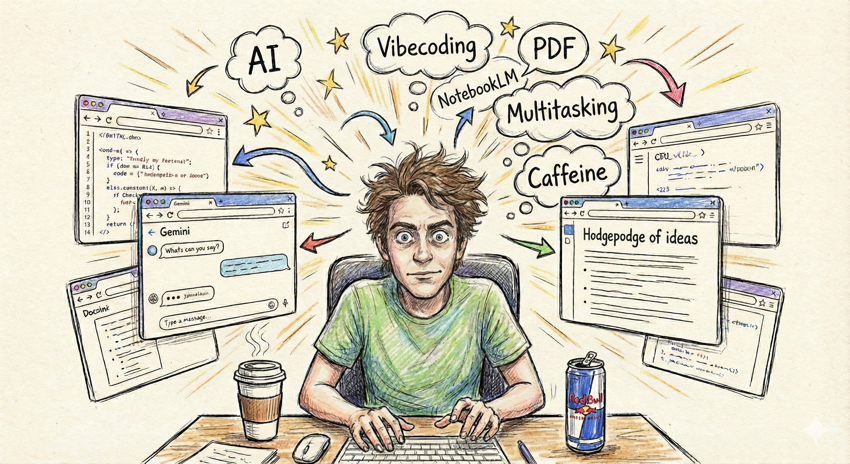
A hodgepodge of ideas spewing in my head
What’s wrong with short, hardly developed ideas? Indeed, this seems to be the mode I’m operating in lately. The more I use AI tools to write docs, the more I’m sitting there context-switching as I write prompts, give feedback, provide editorial input, refinement, etc. When tasks involve a significant amount of AI compute cycles, this constant switching breaks up my attention in somewhat fragmenting ways. I can choose to read the “thoughts” of the AI as it progresses through a problem I’ve given it, trying to follow along. Or I can open up another browser window on a separate screen and work through some other task. I usually opt for the latter.
However, the AI process usually needs my periodic input, such as to allow a command to be run, or to review an implementation plan, or to review the output. So I usually have 2-3 minutes of one task punctuated by the need to review something from Gemini and provide additional input or commands. Then switch back to the other task. Then tend to Gemini’s response, then switch back to the other task. Sometimes I read the scrolling list of Gemini’s “thoughts” that are bewildering — it’s like stepping into someone else’s mind — then I switch back to my other screen, and so on.
This means my attempt at deep work focused on a single task becomes periodically interrupted by multitasking. If I don’t switch to another task, I might instead check my email, or Slack, or chat, and interact briefly there while waiting for Gemini to finish. This kind of multitasking is something I’ve tried to avoid previously. Cal Newport in Deep Work would suggest that I carve out time for extended periods of focus (like 90-minute sessions) on hard problems. But instead I’m switching back and forth between multiple tasks.
This whole experience is comically magnified with the addition of caffeine. On days where I need an extra kick, I’ll drink a Red Bull and then start pushing Gemini to do some really advanced, complex tasks while also multitasking with other doc tasks, context switching with other tasks but switching back to my in-progress AI session every few minutes to nurse Gemini along with the task or allow it to run some script. The more caffeine, the more parallel-processing I appear to maintain. In some ways, the jittery mental state that caffeine induces can be perfect for this frequent multitasking and responding — until my heart starts fluttering. But again, I admit this is a ridiculous state to be in.
I haven’t been a huge “vibecoder,” but this past week I started a project that led me into some deep vibecoding sessions. Here’s the scenario that started my vibecoding project: All my docs are behind access control lists (ACLs), so I can’t push them into public MCP servers that users can integrate. As a result, I’ve been toying with the idea of putting my documentation into NotebookLM instances and then providing my users with access to the notebooks. I’m still blocked on opening up the notebooks across domains like this, but even so, I haven’t refined the process anyway, so I’m still in experimentation mode. Eventually, I’m confident this will be an allowed path.
How do you get thousands of pages of content into NotebookLM? As powerful as NotebookLM is, it doesn’t let you upload HTML. This is problematic because our docs-as-code platform assembles its output from various includes and variables, so if you were to just grab the Markdown, it will include a lot of bracketed info, like {{product_name}} and {% include somefile.html %}. Or it might be a bunch of YAML files rendered into a table template that involves Jinja syntax. The only way you see the full output is by building the HTML. But since HTML can’t be a file type source in NotebookLM, I’ve experimented with another technique: printing the HTML to PDF.
Ahh, PDF is still relevant in 2025! And maybe even more now than ever. I started trying to use a free PDF tool: wkhtmltopdf. But then I learned the tool has been sunset or isn’t supported anymore, and its feature set seemed so limited. I then temporarily switched to Prince XML, which is a beautifully simple and functional tool for this task. However, after successfully integrating it, I realized that my company has its own internal rendering service and that it’s the one I should be using instead.
Sponsored
However, this internal rendering service I’m to use is clearly an engineering tool intended to be configured and operated by engineers. Hence my vibecoding project. Gemini wrote several Python scripts, each several hundred lines (I’m not exaggerating) to integrate with it. The scripts extract lists of pages to convert from a sidebar table of contents, then process, unify, etc, the content as a PDF. The details aren’t important here other than that the service is pretty complicated and robust (not designed for my doc scenario). So what might otherwise be a simple configuration process with a tool like Prince XML, with the internal service, I found that I needed engineering skills to integrate and refine the output.
And yet, the scripts Gemini wrote work! I’m able to feed my documentation table of contents (TOC) file into a script command as a parameter and generate a readable PDF. I don’t fully understand the Python scripts, and this is unsettling, but I’m also not ready to dedicate time to figuring it all out, as there’s so much going on already.
I then started uploading the PDFs into NotebookLM and interacted with them a bit. The first thing I realized is that there are two types of PDFs. One type of PDF generates an image of the page and then converts that image to PDF. However, this approach requires the AI tool to use optical character recognition (OCR) or something to decode the PDF. Another approach uses native text in the PDF and is much more readable.
It was interesting to compare two NotebookLM instances each with the different types of PDFs. The image-based PDF instance had responses that were much more cursory and short, whereas the native-PDF instance had more detail and clarity, even providing code samples in places. I abandoned the image-based PDF technique and used the native text approach.
I’m curious to do more experimentation. The ability to tweak a few variables, upload the PDF output into separate notebooks and run similar queries at virtually the same time in the two NotebookLM instances allows me to quickly compare the responses.
I’m not sure how NotebookLM’s processing of content compares with more formal RAG databases and content in MCP servers. For example, I’m curious whether a smaller RAG database would yield better answers than a more massive, comprehensive RAG. Suppose that I load an MCP server that has the documentation for all the APIs in my organization’s platform. Are the responses just as good as an MCP server with a smaller RAG database, consisting of docs for just one API? My guess is that a smaller database of content will perform better, but I’m not sure.
It’s also a black box as to how NotebookLM works. There are many rules I’m trying to surface and understand. For example, NotebookLM won’t accept files more than 200MB in size. Does it perform better if I chunk up the PDF, or does that not matter? Are page numbers helpful, or headers that indicate the chapters? Do I need to allow the uploaded content some soak time, for any backend chunking, sorting, and indexing? If I ask NotebookLM or Gemini questions about how it processes content, can I trust the answers? Does the AI know how it works?
There’s a bit of tweaking I’m doing with the PDF output as well. One of the primary principles for making content readable by an AI tool is to provide the content in a readable way. This is much easier said than done. With PDF, a long code element name might not wrap and therefore could force column widths in tables to be wonky. Or the text in columns might wrap but then include hyphens in the names, which the AI might misinterpret. Diagrams might also wrap in ways that break the diagram’s readability. I have one table with a horizontal scroll (don’t ask me to explain why) that also doesn’t display well in the PDF, unsurprisingly. I’m thinking of providing the raw YAML file when the content is printed — AI tools consume YAML syntax much easier than tables, it seems.
To address these display issues during my vibecoding, I’m mostly capturing screenshots of the problematic output and telling Gemini to update the PDF CSS to fix the issues, then running the output again and evaluating. This approach seems to work pretty well, especially if I can isolate a small set of representative pages to function as a test (rather than waiting for a script to finish processing a massive dataset).
I’m not sure whether my experimentation with NotebookLM will lead to anything significant, but I like some of the tools NotebookLM provides. For example, you can create a custom report and tell the notebook to generate a glossary for the material. You can also create podcasts and video explainers, as well as slides, and more. It might be an extremely capable tool for learning and working with large documentation sets. One drawback, though, is that NotebookLM isn’t connected with my IDE, so it can’t directly edit and fix content.
Overall, I like experimenting with different tools and approaches. We’re going through a really interesting transition in tech comm, and it’s fun to think that a major pivot and epiphany could just be a few steps away.
About Tom Johnson

I'm an API technical writer based in the Seattle area. On this blog, I write about topics related to technical writing and communication — such as software documentation, API documentation, AI, information architecture, content strategy, writing processes, plain language, tech comm careers, and more. Check out my API documentation course if you're looking for more info about documenting APIs. Or see my posts on AI and AI course section for more on the latest in AI and tech comm.
If you're a technical writer and want to keep on top of the latest trends in the tech comm, be sure to subscribe to email updates below. You can also learn more about me or contact me. Finally, note that the opinions I express on my blog are my own points of view, not that of my employer.