


API rate limiting and thresholds
- Overview
- API conceptual topics overview
- API product overviews
- API getting started tutorials
- API authentication and authorization
- API status and error codes
- API rate limiting and thresholds
- API quick reference
- API glossary
- API best practices
- Activity: Complete the SendGrid Getting Started tutorial
- Activity: Assess the conceptual content in your project
Topic 7 of 12
Rate limits determine how frequently you can call a particular endpoint. Usually, companies have different tiers (for example, free versus pro) and licenses (open-source, business, commercial) corresponding to different capabilities or rate limits with the API.
What to cover with rate limiting
Companies with APIs make money by charging for access to the API, but they usually distinguish between low usage and high usage, often making the low usage options free so that developers can explore and experiment with the API. With the sample OpenWeatherMap Weather API that we’ve been using in this course, you can see where the pricing tier begins:
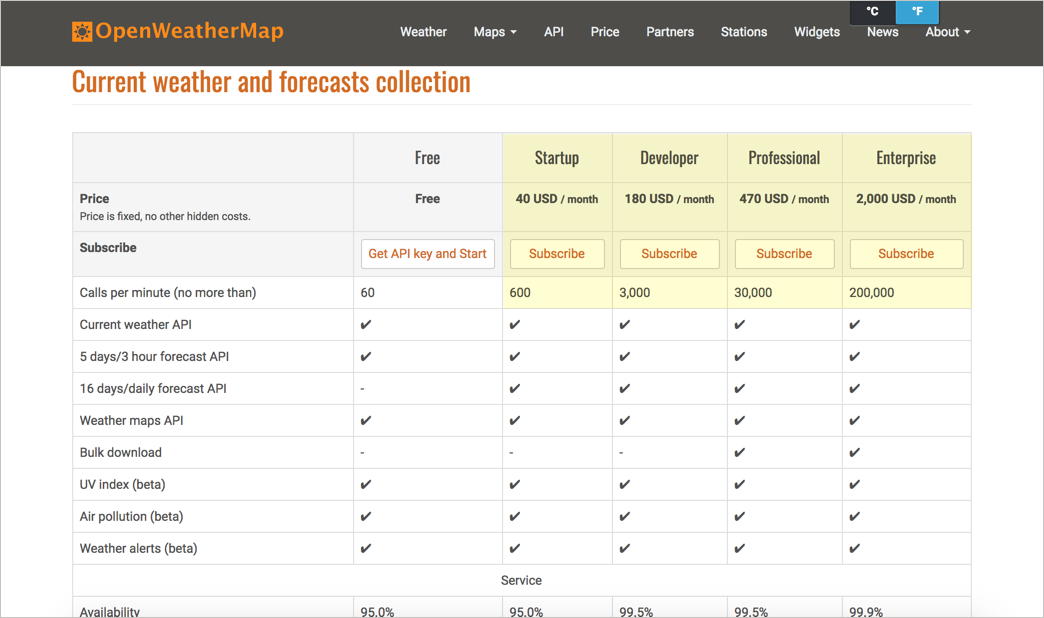
If your site has hundreds of thousands of visitors a day, and with each page reload calls an API endpoint, you want to be sure the API can support that kind of traffic.
Pricing related to rate limiting is probably information that’s within the marketing domain rather than documentation domain. However, developers will still want to know a few key behaviors around the rate-limiting thresholds. For example:
- When you exceed the threshold, do your calls get throttled with slower responses?
- Do you get overcharges for every extra call?
- If you exceed the limit, do the responses return a particular status code (if so, which one)?
- Do responses include headers that show how many requests remain and when the limit resets?
- How long should developers wait before retrying a request?
The standard status code for rate limiting is 429 Too Many Requests (defined in RFC 6585), though some APIs return 403 instead. Many APIs also include a Retry-After header that tells the client how many seconds to wait before trying again. If your API returns these codes and headers, document them, and consider recommending a retry strategy such as exponential backoff (waiting progressively longer between each retry).
Also, when developers implement the code into their applications, how are they handling situations where the API doesn’t respond due to rate limit violations? Are there conditions and checks to handle these throttled scenarios? Does the widget (or whatever might be implementing the API) freeze or hang, display empty or crash?
Sponsored
Examples of rate limiting sections
Here are a few examples of rate limiting sections in API documentation.
GitHub
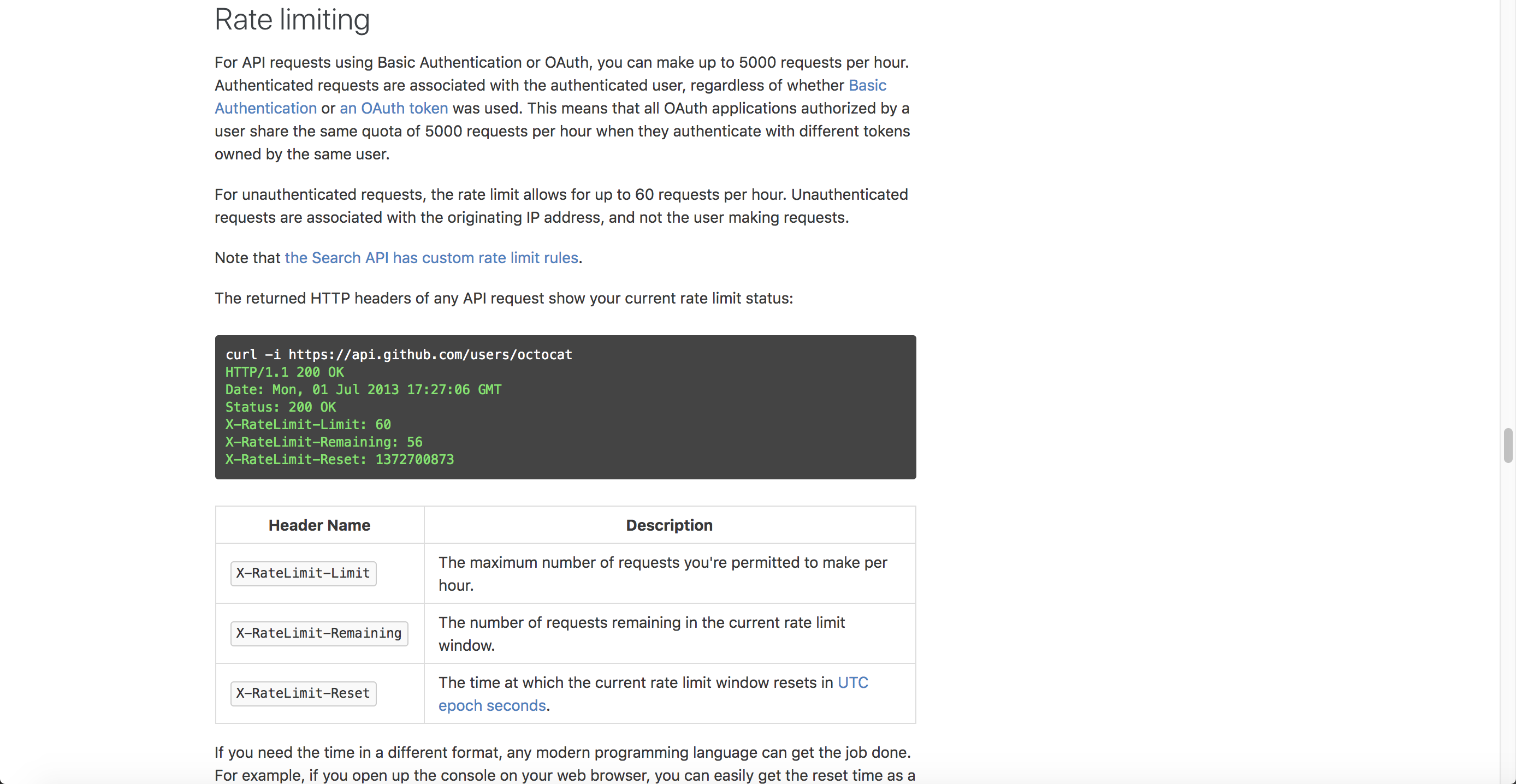
GitHub’s documentation explains rate limits for authenticated versus unauthenticated requests (unauthenticated requests are limited to 60 per hour), the meaning of the rate-limiting headers (such as x-ratelimit-limit, x-ratelimit-remaining, x-ratelimit-used, and x-ratelimit-reset), how to check your current usage, what happens when you exceed a limit (a 403 or 429 response), when to retry, and more.
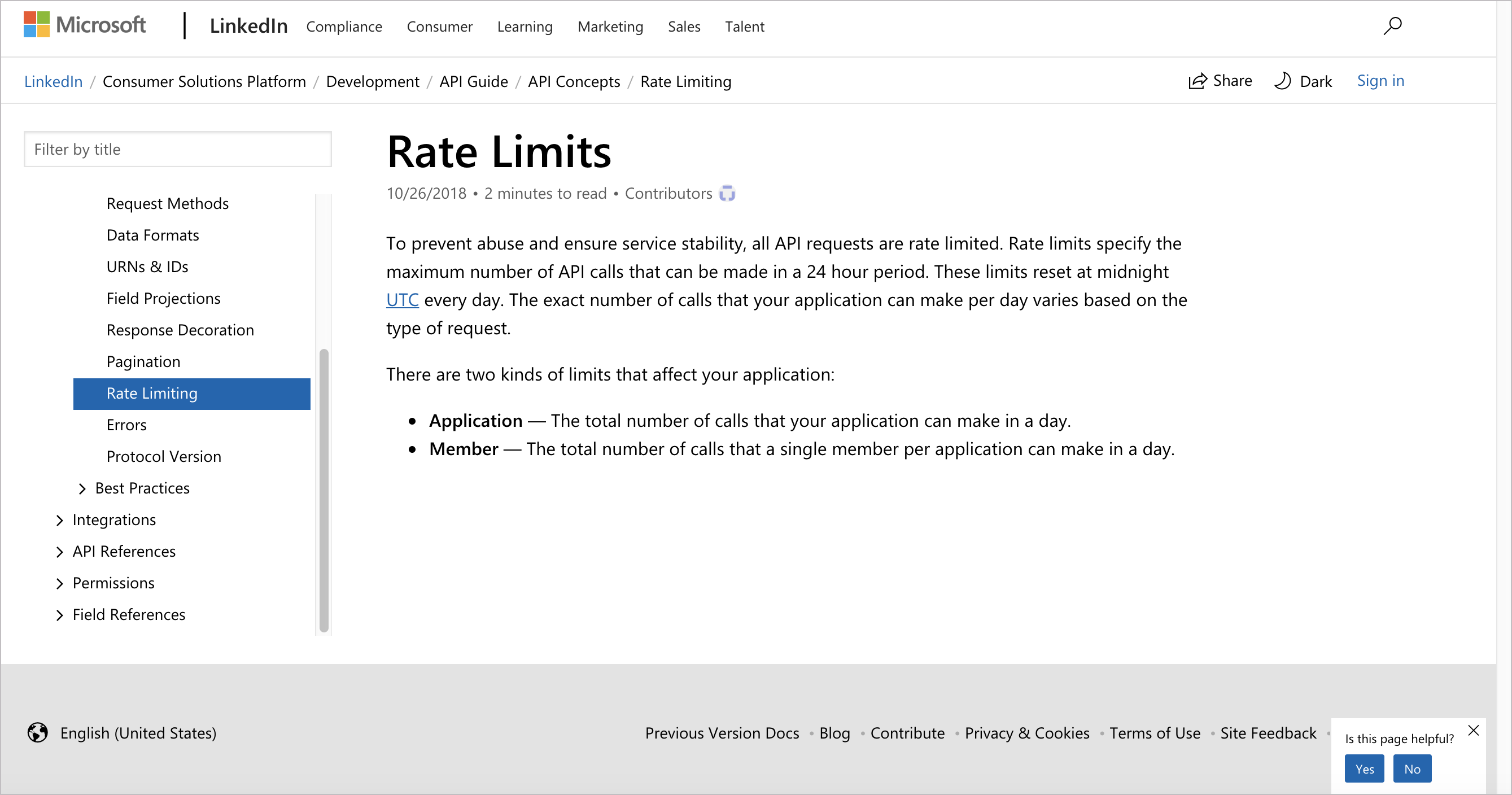
Linkedin’s rate limiting documentation explains that limits apply over a 24-hour period and vary by endpoint. There are two kinds of limits: Application limits (the total calls your application can make in a day) and Member limits (the total calls a single member can make through your application in a day). The documentation also explains that the limits reset at midnight UTC.
Bitly
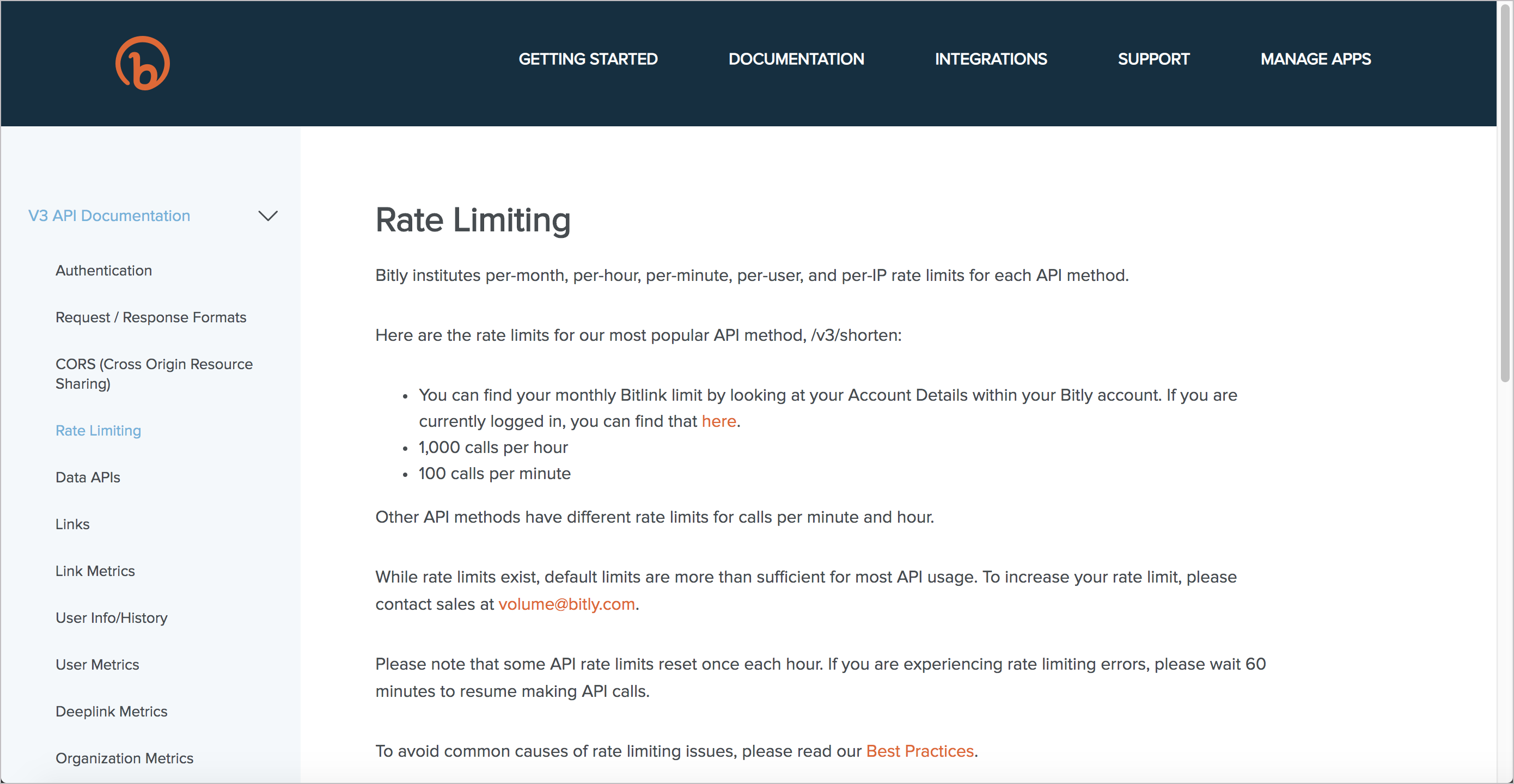
Bitly provides basic information on the page above. An earlier version of Bitly’s docs also linked to best practices for avoiding rate-limiting issues. These best practices included tips such as caching, security issues, long page loads, batch processing, high-volume requests, URL encoding, and more.
By looking at these examples, you can see that while rate limiting might seem like a straightforward topic, there are layers of depth and complexity to cover. The relevance of the topic depends on your API and the rate-limiting policies your company sets, but this information cannot be entirely offloaded to Marketing to handle. So much of the information around rate limiting directly affects development.
Activity with rate limits
With the open-source project you identified, identify the information about rate limits with the API. Answer the following questions:
- Does the API have rate limits?
- What happens if users exceed the rate limits?
- What status codes are sent if rate limits are exceeded?
- What kind of rate limits exist with the free (or development) tiers of the API?
About Tom Johnson

I'm an API technical writer based in the Seattle area. On this blog, I write about topics related to technical writing and communication — such as software documentation, API documentation, AI, information architecture, content strategy, writing processes, plain language, tech comm careers, and more. Check out my API documentation course if you're looking for more info about documenting APIs. Or see my posts on AI and AI course section for more on the latest in AI and tech comm.
If you're a technical writer and want to keep on top of the latest trends in the tech comm, be sure to subscribe to email updates below. You can also learn more about me or contact me. Finally, note that the opinions I express on my blog are my own points of view, not that of my employer.