


Hosting and deployment options
- Overview
- Overview for publishing API docs
- Survey of API doc sites
- Design patterns with API doc sites
- Docs-as-code tools
- More about Markdown
- Version control systems
- Static site generators
- Hosting and deployment options
- Hybrid documentation systems
- Which tool to choose for API docs — my recommendations
Topic 9 of 11
Static site generators handle content development, but not hosting and deployment. For this, you need another category of tools. I call this category of tools “hosting and deployment options.”
Theoretically, you could publish a static website on any web server (e.g., AWS S3, Bluehost, and more). But continuous delivery hosting platforms do something more: They automatically build your output when you commit a change to a repo. The whole build process takes place entirely on the server.
Hosting and deployment platforms usually offer a number of additional features beyond simple web hosting, such as SSL, CDNs, minification, authentication, backup/redundancy, and more. Some of these platforms integrate with specific static site generators, while others work with almost any generator that you can run from a build command.
GitHub Pages
GitHub Pages provides a free hosting and deployment option for static sites. GitHub Pages has built-in support for Jekyll. If you push a Jekyll project to a GitHub repository and publish from a branch, GitHub automatically builds the site each time you commit. For other static site generators (or for Jekyll plugins and versions that GitHub doesn’t support), you can publish through a GitHub Actions workflow instead. The workflow runs your own build command and deploys the output to GitHub Pages.
To activate GitHub Pages, go to your repo’s Settings and click Pages. Under Build and deployment, choose whether to deploy from a branch or with GitHub Actions. (See Configuring a publishing source for your GitHub Pages site.)
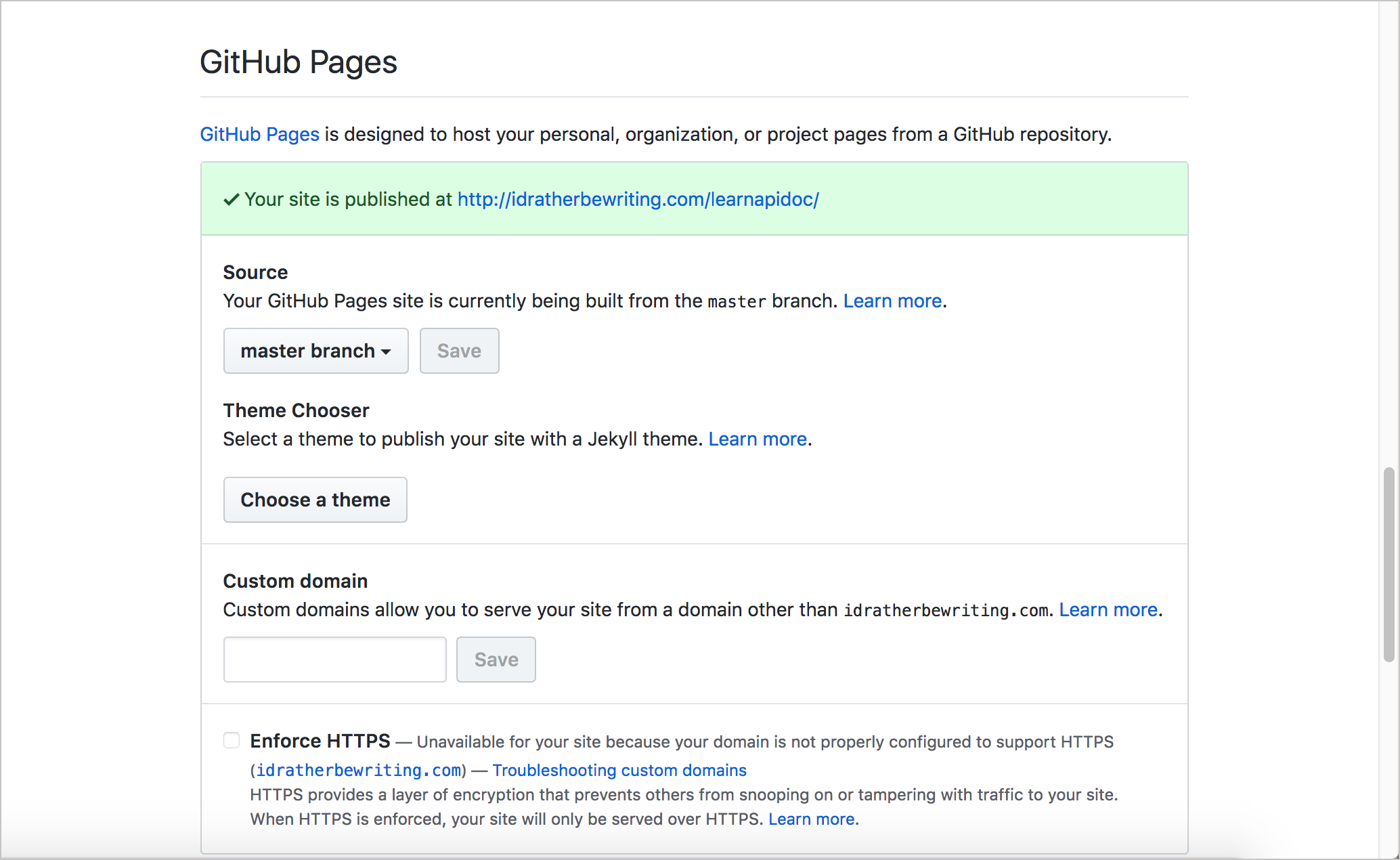
The tight integration of Jekyll with GitHub makes for a compelling argument to use a Jekyll-GitHub solution. One limitation is that the built-in Jekyll build uses an older version of Jekyll (3.10.0 when I last checked the dependency versions page) and only a short list of allowed plugins. If you need Jekyll 4 or other plugins, you have to build with GitHub Actions. For the most part, GitHub is the dominant platform for open-source projects. If you’re already using GitHub, it makes sense to choose a static site generator that integrates into the same platform to build your docs.
GitHub Pages is free but does have some limitations in scope:
- Source repositories have a recommended limit of 1 GB.
- Published sites can be no larger than 1 GB.
- Deployments time out if they take longer than 10 minutes.
- Sites have a soft bandwidth limit of 100 GB per month.
- Sites have a soft limit of 10 builds per hour, though this limit doesn’t apply if you build and publish with a custom GitHub Actions workflow.
For details, see GitHub Pages limits.
Unlike with other hosting and deployment platforms, GitHub Pages doesn’t offer a commercial version that expands these limits. You can learn more about GitHub Pages here.
I build this course and my blog using Jekyll and GitHub Pages. Both live in a GitHub repo called tomjoht.github.io, named after my GitHub username but published using a custom domain, idratherbewriting.com. (Without the custom domain, it would be available at https://tomjoht.github.io.) The course content is in a Jekyll collection inside that repo, which is why its pages appear under idratherbewriting.com/learnapidoc/. The course used to live in a separate repo called learnapidoc. GitHub Pages publishes each additional repo as a subdirectory of the primary domain, which is a handy way to run several projects under one domain.
CloudCannon
Suppose you want to use a static site generator with GitHub, but you’re frustrated by GitHub Pages’ limitations and you need a more robust platform. If so, CloudCannon is one option. CloudCannon started as a Jekyll platform but now also supports Hugo, Astro, Eleventy, and SvelteKit. It gives you a host of additional features that GitHub Pages lacks, such as:
- Authentication of users
- Multiple environments for different branches
- Visual online interface for editing
- Jekyll plugins
- SSL for custom domains
- Automatic minification, and more
The founders of CloudCannon are Jekyll experts, and they also created a host of tutorials on Jekyll and other static site generators.
For a tutorial on setting up Jekyll on CloudCannon, see Jekyll and CloudCannon continuous deployment tutorial.
Read the Docs
Read the Docs is an online hosting and deployment platform that pulls your docs from a repository (such as GitHub, GitLab, or Bitbucket) and automatically builds the web output each time you push a change. Read the Docs started as a platform for Sphinx projects, and Sphinx is still its strongest integration. However, it now supports other documentation tools too, such as MkDocs and Docusaurus.
Sponsored
Read the Docs comes in two versions. Read the Docs Community (readthedocs.org) is free for open-source projects and supported by ads. Read the Docs Business (readthedocs.com) is a paid version for commercial projects and private repositories. These tiers allow you to level-up your project when your needs mature but also don’t lock you into a paid solution when you’re not ready for it.
Read the Docs provides themes specific for documentation websites, and also lets you author in reStructuredText (or Markdown, if you prefer that instead). reStructuredText provides more documentation-specific features and semantics — see my discussion in What about reStructuredText and Asciidoc? for more details, or see Why You Shouldn’t Use “Markdown” for Documentation for a more passionate argument for rST.
The Read the Docs documentation shows a sample output.
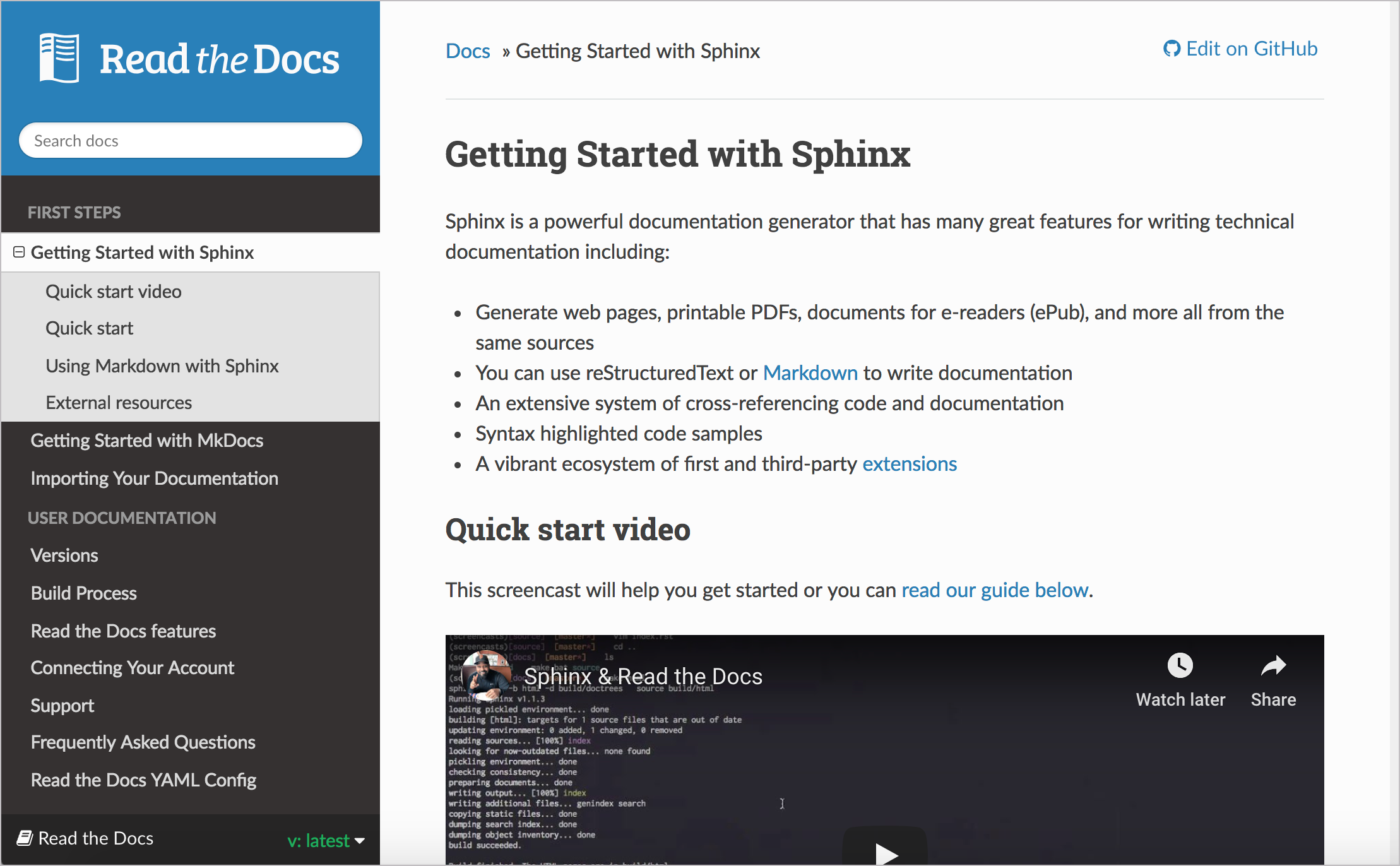
Some key features include a robust sidebar with expand/collapse functionality, search, versioning, output to PDF and ePub, and more.
Read the Docs with Sphinx includes most of the features technical writers would expect, especially related to single-source publishing. Some of these features, noted in An introduction to Sphinx and Read the Docs for Technical Writers, include the following:
- Output HTML, PDF, ePub, and more
- Content reuse through includes
- Conditional includes based on content type and tags
- Multiple mature HTML themes that provide great user experience on mobile and desktop
- Referencing across pages, documents, and projects
- Index and Glossary support
- Internationalization support.
The Read the Docs platform was co-founded by Eric Holscher, who also co-founded Write the Docs. Write the Docs was originally intended as a conference for the Read the Docs community but evolved into a more general conference focused on technical communication for software projects. If you go to a Write the Docs conference, you’ll find that sessions focus more on best practices for documentation rather than discussions about tools. (You can read my post, Impressions from the Write the Docs Conference or listen to this Write the Docs podcast with the co-founders for more details.)
Read the Docs hosts a huge number of open-source projects. Many Python libraries, in particular, publish their docs there, so if you’ve ever looked up documentation for a Python package, you’ve probably used a Read the Docs site.
Netlify
Netlify is a popular hosting and deployment service for static site projects. Netlify works with almost any static site generator, since it runs whatever build command you give it.
Netlify offers continuous delivery for your project. You can store your content on GitHub, GitLab, or Bitbucket, then link it to Netlify, and Netlify will build whenever you push changes.
Netlify offers a free plan with features similar to GitHub Pages, plus paid plans for more robust needs. With Netlify, you can get deploy previews, rollbacks, form handling, a distributed content delivery network (CDN), SSL, a programmable API, a CLI, and more.
The most impressive example of a Netlify-hosted site is Smashing Magazine. Previously hosted on WordPress, Smashing Magazine made the switch to Netlify, with Hugo as the static site generator engine. See Smashing Magazine just got 10x faster for details.
Other notable doc sites using Netlify include Kubernetes, Yarn, Lodash, Gatsby, and Hugo. (I checked the response headers of each site in October 2026 to confirm they’re served by Netlify.)
Complementing Netlify is Decap CMS (formerly Netlify CMS), a headless CMS for your content (which I discuss in more detail in Hybrid documentation platforms).
Vercel and Cloudflare
Vercel and Cloudflare Pages are similar to Netlify. Both connect to your Git repository, run your build command, and publish the output to a global CDN, with preview deployments for each branch or pull request. Vercel is closely tied to the Next.js framework (Vercel created Next.js), and many JavaScript-based doc sites run on it. For example, the React docs are served by Vercel. Cloudflare also lets you serve static sites through Cloudflare Workers, and it publishes a guide for moving from Pages to Workers.
Overall, there are many options for hosting and deploying your site. GitHub Pages, CloudCannon, Read the Docs, Netlify, Vercel, and Cloudflare are just a few. You can also probably explore custom-built hosting and deployment options available through your company’s existing infrastructure.
There’s another category of tools that I’m calling Hybrid documentation platforms. Some of these solutions combine the authoring and deployment solutions together in different ways. These solutions might offer a “headless” authoring interface with a body that stores content in another place, such as GitHub.
About Tom Johnson

I'm an API technical writer based in the Seattle area. On this blog, I write about topics related to technical writing and communication — such as software documentation, API documentation, AI, information architecture, content strategy, writing processes, plain language, tech comm careers, and more. Check out my API documentation course if you're looking for more info about documenting APIs. Or see my posts on AI and AI course section for more on the latest in AI and tech comm.
If you're a technical writer and want to keep on top of the latest trends in the tech comm, be sure to subscribe to email updates below. You can also learn more about me or contact me. Finally, note that the opinions I express on my blog are my own points of view, not that of my employer.