


Explore the Javadoc output
- Overview
- Overview of native library APIs
- Get the sample Java project
- Java crash course
- Activity: Generate a Javadoc from a sample project
- Javadoc tags
- Explore the Javadoc output
- Make edits to Javadoc tags
- Doxygen, a document generator mainly for C++
- Create non-ref docs with native library APIs
Topic 7 of 10
The Javadoc output has changed only gradually over the years, so in some sense, it’s predictable and familiar to Java developers. Newer versions of the JDK have added some welcome features, such as a search box (since JDK 9) and a table of contents on each class page, and they dropped the old three-frame layout (in JDK 11). However, Javadoc still has limited options for adding pages or changing the layout. In this topic, we’ll explore how the Javadoc is organized.
The screenshots on this page come from an older Javadoc version (JDK 8). The output you generate with a current JDK looks different but has the same main parts. Compare them with the sample output generated with JDK 25.
Class summary
Open the index.html file in the Javadoc folder you generated in Activity: Generate a Javadoc from a sample project.
The class summary page shows a short version of each of the classes. The description you write for each class (up to the period) appears here. It’s kind of like a quick reference guide for the API.
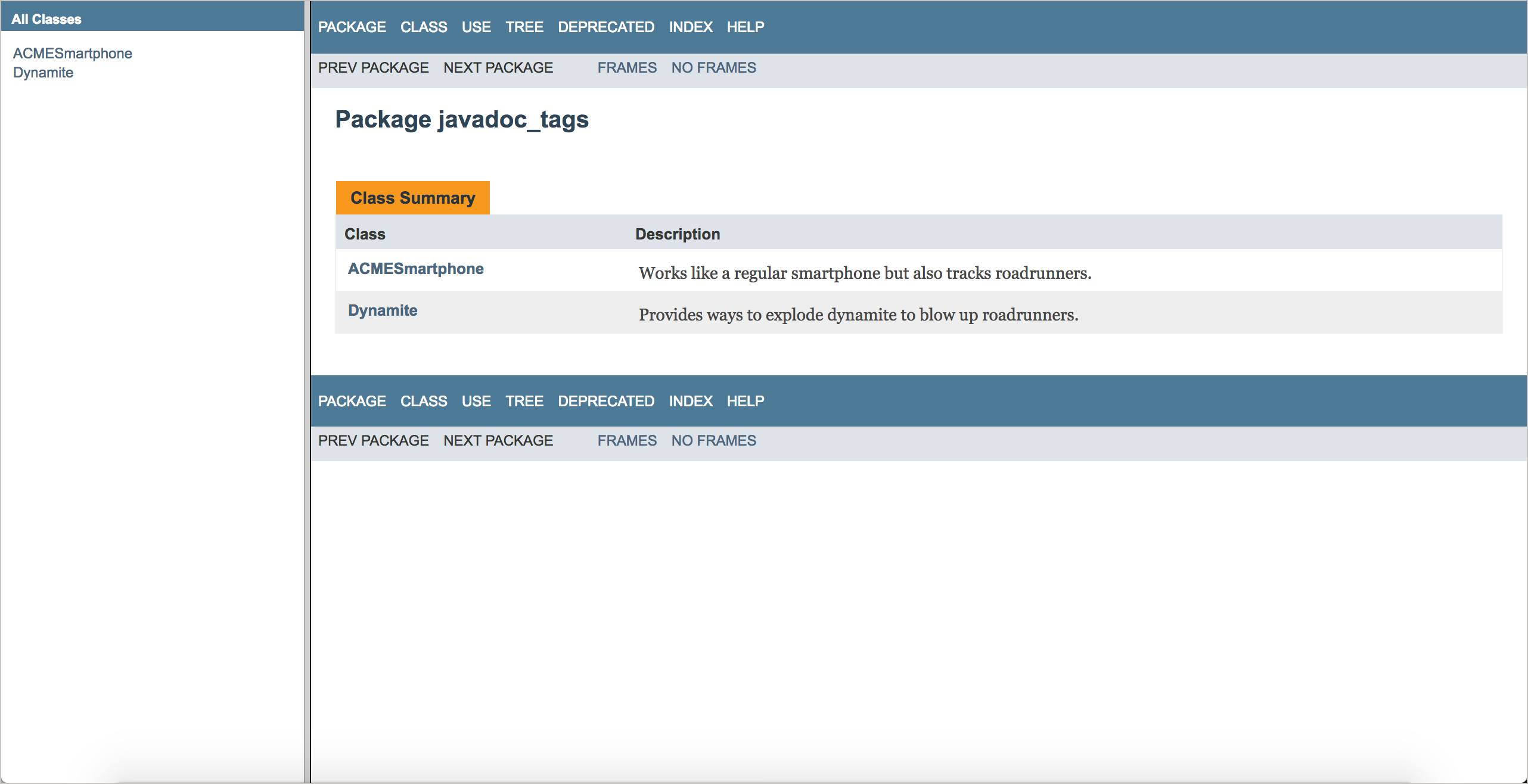
You click a class name (in this case, ACMESmartphone or Dynamite) to dive into the details.
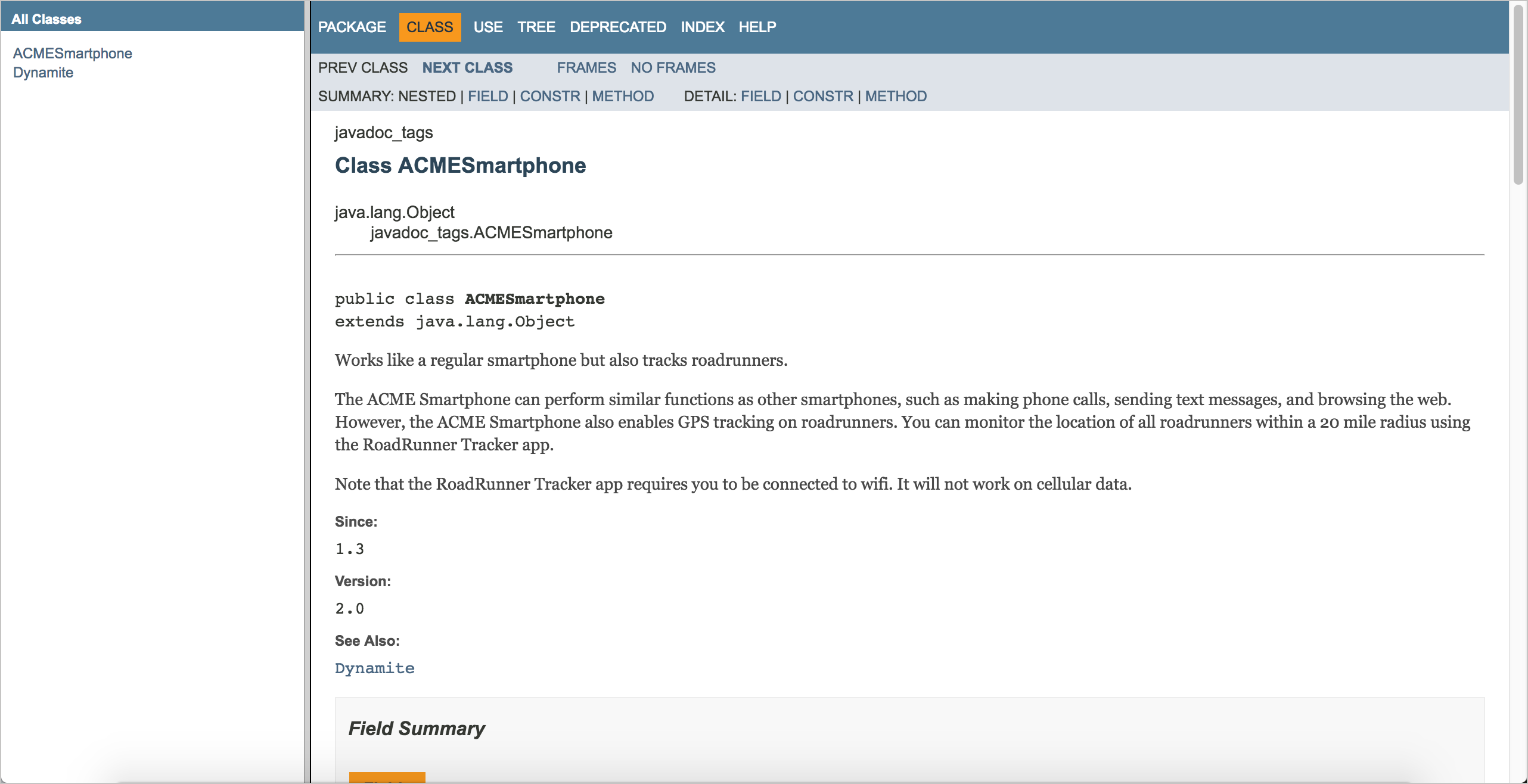
Class details
When you view a class page, you’re presented with a summary of the fields, constructors, and methods for the class. Again, this is just an overview. When you scroll down, you can see the full details about each of these elements.
Other navigation
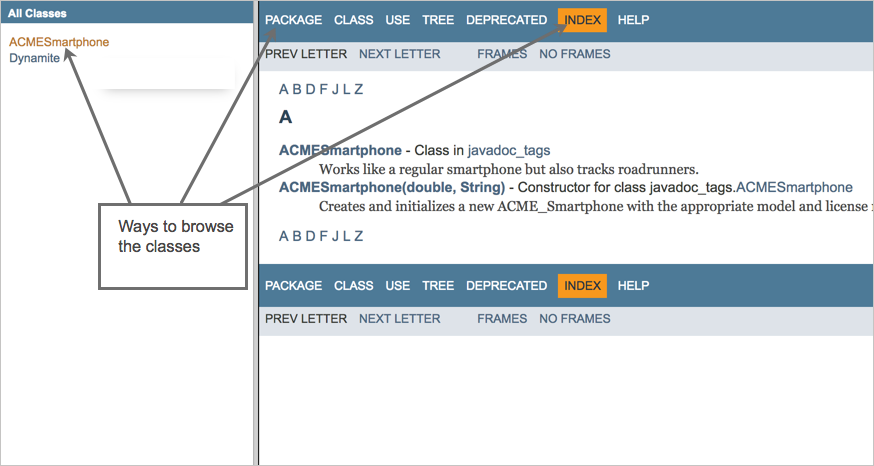
If you click Package at the top, you can browse the classes by package. You can also browse everything by clicking the Index link, see the class hierarchy by clicking Tree, or type a class or method name into the search box. (In older Javadoc output, like the screenshot below, a left column listed all the classes.)
Sponsored
For more information about how the Javadoc is organized, click the Help button in the Javadoc top navigation bar.
About Tom Johnson

I'm an API technical writer based in the Seattle area. On this blog, I write about topics related to technical writing and communication — such as software documentation, API documentation, AI, information architecture, content strategy, writing processes, plain language, tech comm careers, and more. Check out my API documentation course if you're looking for more info about documenting APIs. Or see my posts on AI and AI course section for more on the latest in AI and tech comm.
If you're a technical writer and want to keep on top of the latest trends in the tech comm, be sure to subscribe to email updates below. You can also learn more about me or contact me. Finally, note that the opinions I express on my blog are my own points of view, not that of my employer.